I taught my first computer science course before I’d written much code myself. I’d come up through business and finance, completed Florida’s alternative-cert route, and was interning at Florida Virtual School when I got handed digital business foundations and then computer science. If you just got assigned a tech course and feel a little underwater, I have stood exactly where you’re standing, and I’m here to tell you it’s far more teachable than it looks from the outside.
This is the start-here map for the technology side of CTE, whether your course says Computer Science, Cybersecurity, IT, or some district-invented title nobody can quite define. We’ll cover the big one first (no, you do not need to be a coder), then what counts as “technology,” where to start, and how each subject (CS, cybersecurity, AI literacy, digital citizenship) teaches best. Plenty of these get their own deep dive, so we’ll link out as we go.
The short version: You don’t need to be a programmer to teach high school tech. The job is to set up a classroom where being wrong is cheap, lean on free curricula that do the heavy lifting (Code.org, CodeHS, and others), and teach each subject through low-stakes practice instead of high-stakes perfection. Start unplugged, get the lab routines right early, and have a plan for AI before the first assignment, not after.
Do you need to know how to code to teach high school technology?
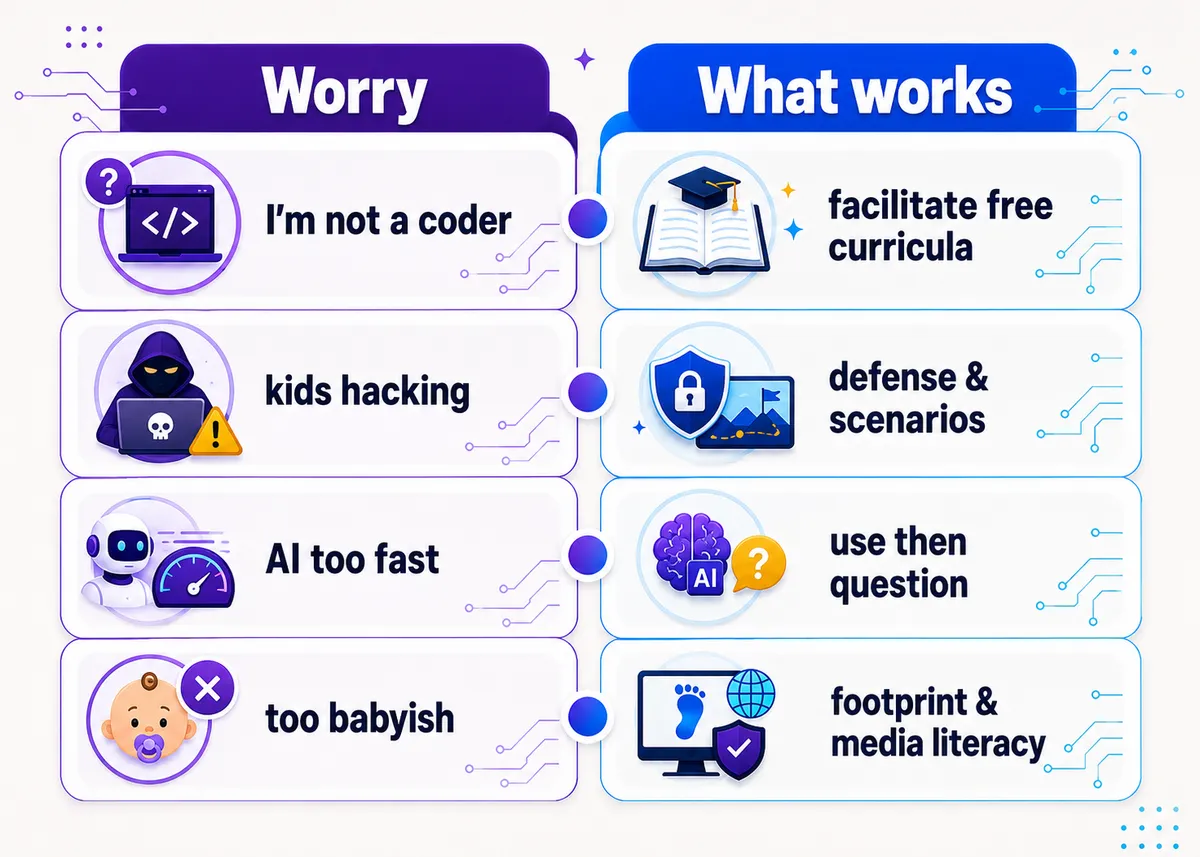
No. This is the fear that keeps good people out of these classrooms, and it’s mostly unfounded. A huge share of high school tech teachers come to the course out of field, learning a step or two ahead of their students, and the field is built for it: the strongest free curricula (Code.org, CodeHS, and others) come with the lessons, the auto-graded exercises, and the teacher training, so you’re facilitating and troubleshooting more than lecturing from mastery.
Honestly, “I’m figuring this out alongside you” is a feature, not a bug. Modeling how you debug something you don’t immediately know is one of the most valuable things you can show a room full of teenagers, because that’s the actual job in tech: not knowing, then figuring it out. (If “out of field and underwater” is your whole situation right now, the First-Year CTE Teacher Guide is written for exactly that.)
What counts as high school technology?
Like business, “technology” is an umbrella covering courses that don’t all look alike. The common ones:
- Computer science and coding: problem-solving, programming, app and web building.
- Cybersecurity: protecting systems, thinking about risk, defense, and tradeoffs.
- AI literacy: understanding how AI works, where it fails, and how to use it responsibly.
- Digital citizenship and digital skills: online safety, media literacy, digital footprint, and the productivity tools every job assumes you know.
This corner of CTE just got a vote of confidence at the national level. In the modernized 2024 National Career Clusters Framework, the old “Information Technology” cluster was expanded and renamed “Digital Technology,” and standalone STEM was dissolved and spread across the other clusters. The message to schools was blunt: stop treating tech as a side dish and start treating it as a core pathway that runs through everything. If you teach tech right now, that’s the wind at your back. The wide-angle view of how CTE fits together is in How to Teach CTE.
Where should you start?
Before you touch a single line of code, set the culture, because the culture is what makes a tech room work. Two moves do most of the heavy lifting:
- Make errors normal. Say out loud, early and often, that error messages are information, not failure, and that everyone’s screen is going to turn red. A room where being wrong is embarrassing is a room where kids stop trying things.
- Set a “ask three, then me” rule. Students check the error, check a neighbor, and check the resource before they raise a hand. It builds independence and keeps you from being pulled in twelve directions at once.
Then start unplugged. The first week of a tech class is usually a mess of logins, accounts, and devices that aren’t ready, so the teachers who start with screen-free activities (a logic puzzle, an algorithm written as a recipe, a “be the computer” exercise) buy themselves time and lower the intimidation factor at the same time. We lay out concrete openers in First Day & First Week of CS Class Activities.
What makes a good tech lesson?
The core move in technology is to lower the cost of being wrong. Coding, cybersecurity, and digital skills all get dramatically easier to teach when students can experiment, break things safely, and see instant feedback, instead of being graded on nailing it the first time. The student who can run their code, watch it fail, and try again has a built-in tutor that never gets tired. Your job is to protect that loop and keep the stakes low while they’re still in it.
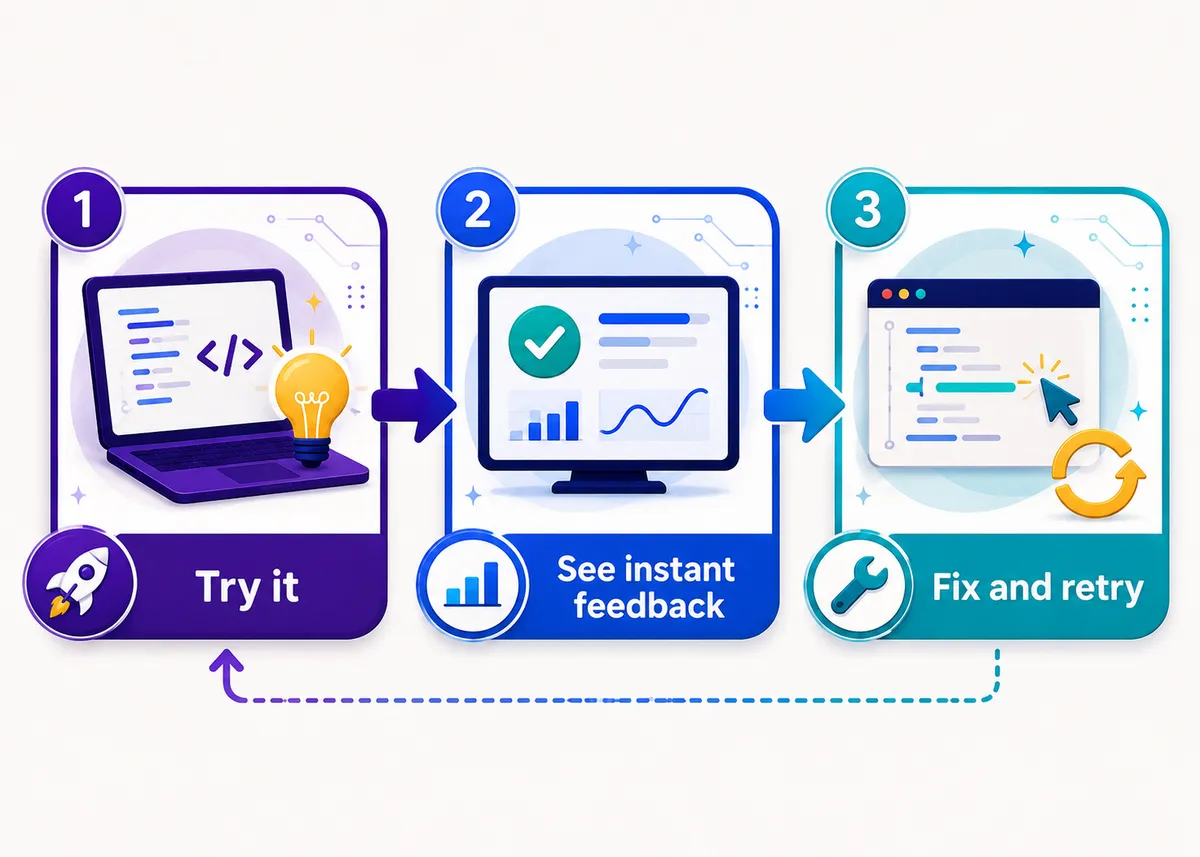
That’s the same backward-from-a-real-task design that runs through all of CTE (the full method is in How to Teach CTE and Project-Based Learning in CTE). In tech it just has a particularly forgiving feedback mechanism built in: the computer tells the student the truth immediately, every time, without making it personal.
How does each tech subject teach best?
Each subject has a way in that beats lecturing, and a free place to start so you’re not building from nothing.
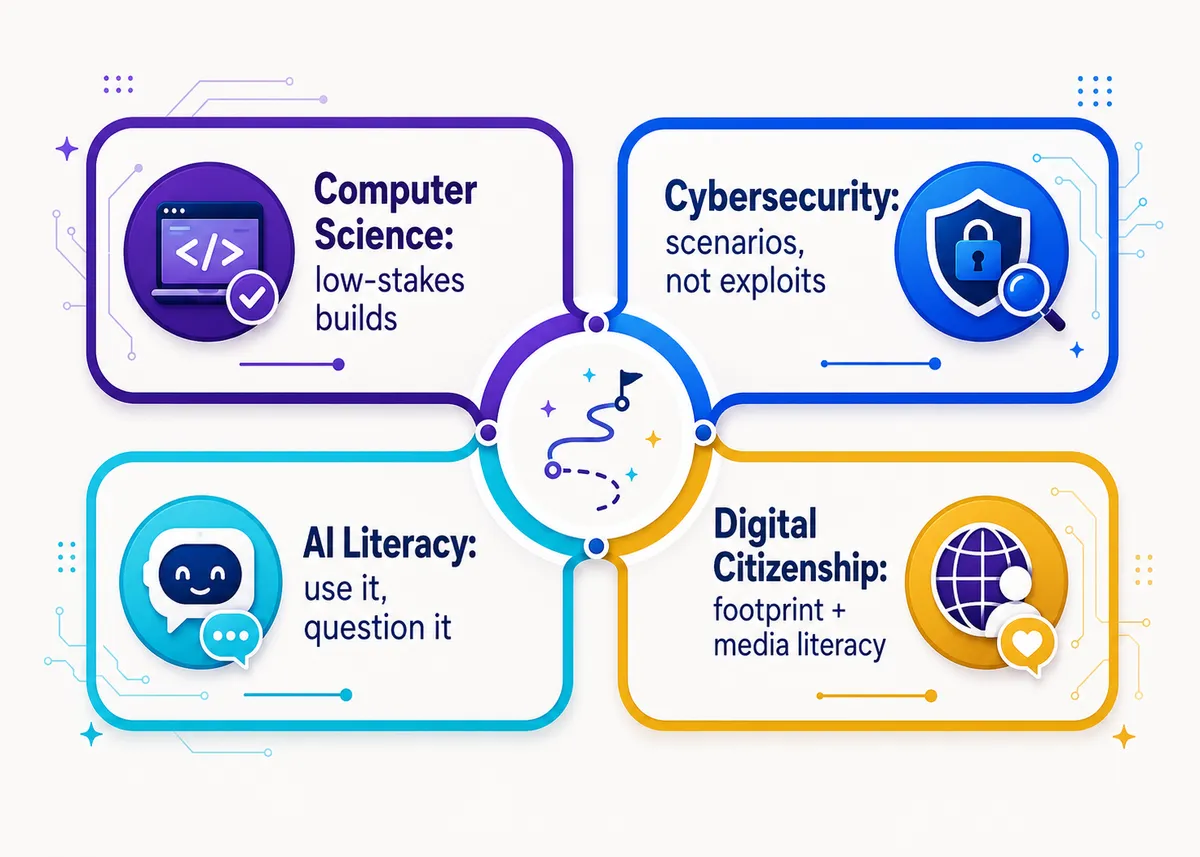
- Computer science and coding teach best through short, low-stakes builds before big ones: a working thing on day one, even a tiny one, beats two weeks of theory. Start unplugged, then move into a free platform. See Coding Activities for Beginners and the bank of leveled Computer Science Project Ideas for High School. Teaching the AP versions? Our editable AP Computer Science Principles and AP Computer Science A curricula are built on the same small-builds-first model.
- Cybersecurity teaches beautifully through scenarios and simulations. You don’t need kids writing exploits; you need them reasoning about risk, defense, and tradeoffs (think phishing teardowns, a classroom capture-the-flag, threat-modeling a school’s systems). See Cybersecurity Activities for High School Students and the scope-and-sequence in How to Teach Cybersecurity to Beginners.
- AI literacy is the fastest-rising topic in the hub, and it teaches best by doing then questioning: students use an AI tool, then interrogate where it got things wrong, why it’s biased, and what it actually is under the hood. See AI Literacy Activities for High School Students.
- Digital citizenship lands with high schoolers only when it’s not babyish. Skip the cartoon mascots and teach the real version: digital footprint and online reputation, media literacy, and spotting misinformation. See Digital Citizenship Activities for High School.
Here’s the same map as a quick reference, including the worry teachers tend to bring to each subject:
How do you manage a computer lab?
A computer lab is its own special kind of chaos, because the moment students touch keyboards, half your attention-getting tools stop working. A few routines prevent most of it:
- Have a screens-down signal and drill it until it’s automatic (“lids at 45,” “hands off mice, eyes up”). You cannot teach over the glow of thirty monitors, so you need a fast, non-negotiable way to get them dark.
- Build entry and exit routines: what’s on screen when students walk in, how machines get shut down and chairs pushed in before the bell. The bookends keep the middle calm.
- Plan for fast finishers so the kids who race ahead have a real next step instead of drifting to games. Extension challenges aren’t a luxury in a tech room; they’re classroom management.
The full playbook (attention signals, on-task strategies, shared-device logins) is in Computer Lab Classroom Management: Rules, Routines & Tips.
How do you handle AI in a coding class?
This is the question every CS teacher is now asking, and pretending students won’t use AI is not a plan. A student can get working code from an AI tool in seconds, which means the old “did they produce the right output” assessment is basically dead. You have two jobs: teach AI as a skill (using it well is now part of the work) and design assessments it can’t quietly do for them.
In practice that means grading the reasoning, not just the artifact: have students explain their code, modify someone else’s, debug a broken program live, or defend why they built it the way they did. AI can write the function; it can’t (yet) sit in the chair and walk you through the tradeoffs. We get specific about both teaching with AI and designing around it across the AI Literacy Activities guide and the broader How to Assess CTE Skills.
What about AP Cybersecurity?
If you teach (or are about to teach) AP Cybersecurity, you’re part of College Board’s newer AP Career Kickstart initiative, which launches nationally in the 2026-27 school year. These courses run on applied, project-based work and pair college credit with an industry-recognized credential, which is a very CTE way to run an AP course. If you already think in scenarios and tradeoffs, you’re aligned with how the course wants to be taught.
The planning specifics (what to set up before day one, how the course is structured, surviving a first-year rollout) live in What Is AP Career Kickstart?. If you’d rather not build it from scratch, our editable AP Cybersecurity curriculum is organized around the scenario-and-defense model the course rewards.
Free resources to get you started
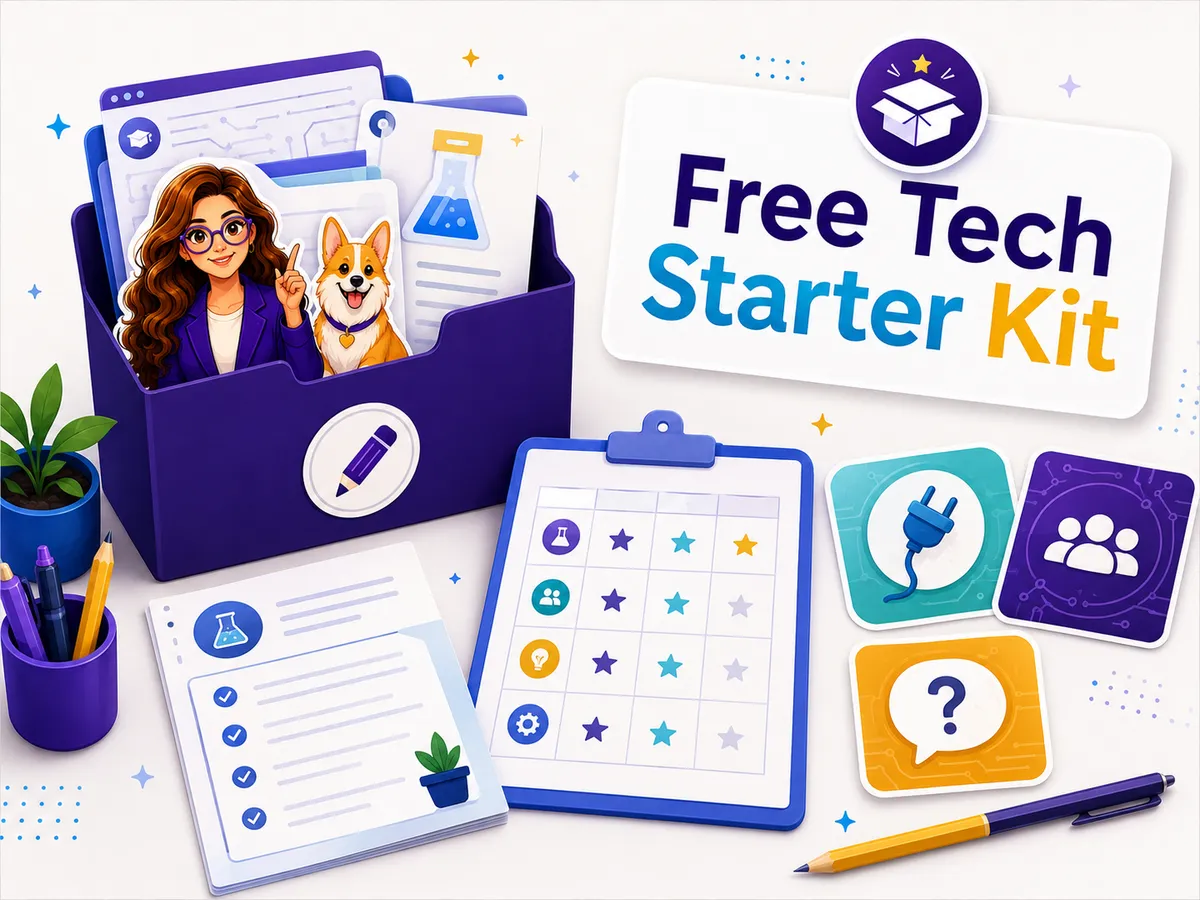
You do not have to build your first tech course alone, and the field is unusually generous with free material. The Free Library has no-prep starting points (bell ringers, a project rubric, first-week activities, a lab-routines planner) that work across CS, cybersecurity, and digital skills, and they pair well with the big free curricula. Grab what’s useful, see if the style fits how you teach, and build from there.
Want the planning done for you? Browse editable, full-year technology and AP Career Kickstart curriculum, including AP Computer Science Principles, AP Computer Science A, and the AP Cybersecurity curriculum, built around real projects and low-stakes practice and organized so you can teach from it on Monday instead of rebuilding it on Sunday.
Frequently asked questions
Do you need a computer science degree to teach high school technology? Usually no. Many tech teachers come to the course out of field and lean on free, fully built curricula (like Code.org and CodeHS) that include lessons, auto-graded practice, and teacher training. Certification rules vary by state, so check your own state Department of Education. (See How to Become a CTE Teacher.)
What should I teach first in a computer science class? Start unplugged and start with culture: errors are normal, ask three then me, and a working tiny thing beats two weeks of theory. Screen-free logic activities also buy you time while logins and devices get sorted.
How do you teach cybersecurity to beginners? Through scenarios and defense, not exploits. Have students reason about phishing, risk, and tradeoffs, and use a free beginner curriculum for structure. Students do not need to code first to start thinking like a defender. (See How to Teach Cybersecurity to Beginners.)
How do I handle students using AI to cheat in a coding class? Treat AI as a skill to teach and design assessments it can’t quietly do: have students explain, modify, or debug code live and defend their choices. Grade the reasoning, not just the output.
How do you manage a computer lab? Drill a fast screens-down signal, build entry and exit routines, and plan extension work for fast finishers. The routines around the keyboards matter more than the content when it comes to keeping the room on task.
How many states require computer science to graduate? As of 2025, 12 states require a computer science course for graduation, and about 82% of high school students now have CS available at their school, both up sharply in recent years. Momentum is strongly in this subject’s favor.
AP® is a trademark registered by the College Board, which is not affiliated with, and does not endorse, this product.