
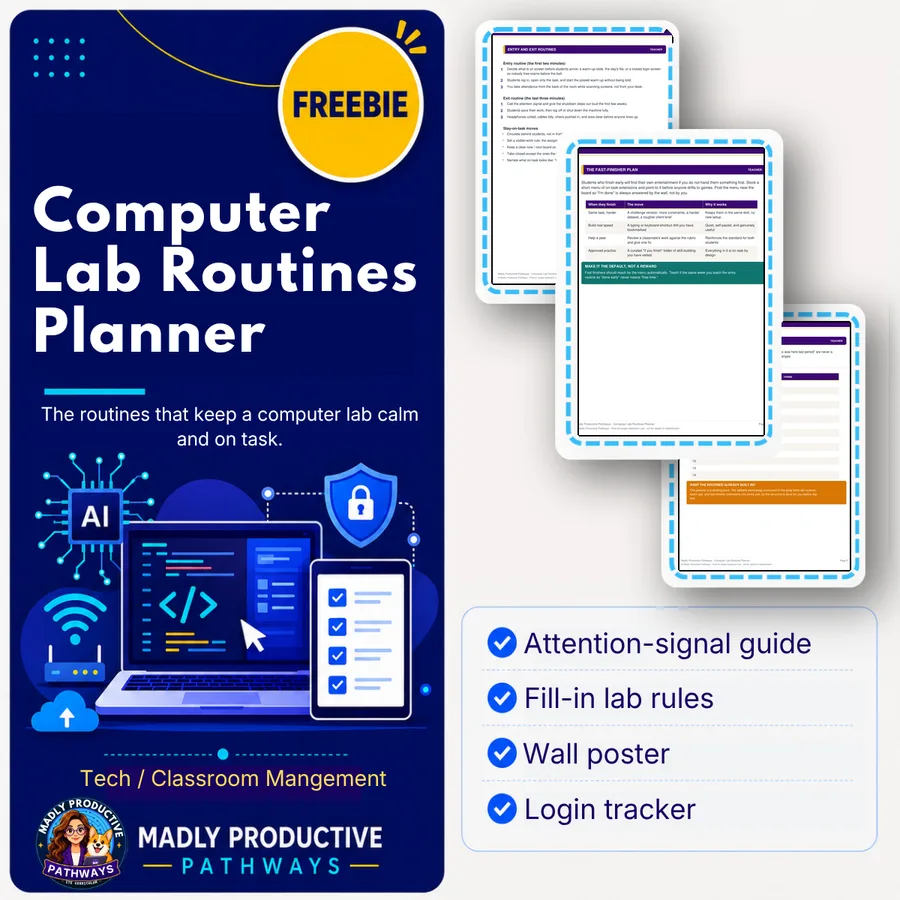
Computer Lab Routines Planner
The routines that keep a computer lab calm and on task.
Enter your email and we'll send you one password that unlocks every freebie on the site.
 Editable formatsPDF, Editable Word, ready to print
 No-prepOpen the folder, print, and teach
 Free foreverOne password unlocks the whole library
The moment students touch keyboards, half your attention-getting tools stop working. This planner gives you the routines that prevent most of it: a fast screens-down signal, entry and exit routines, a fast-finisher plan, and a fill-in rules page.
What’s inside
- An attention-signal and routines guide
- A fill-in my-lab-rules page
- A printable rules wall poster
- A seating-chart and login tracker
Why teachers love it
- Fewer battles, more teaching
- Fill-in pages make it yours
- Built for a shared-device room
How to use it in class
Print the rules poster and hang it by the door before your first computer lab day, then teach the attention signal on day one so it is muscle memory by week two. On a normal Monday, use the entry routine to get logins and headphones sorted in the first two minutes instead of losing five to chaos. The fast-finisher plan is the real workhorse, since the moment one group wraps up early, you can point them to it instead of answering the same “I’m done, now what” question all period. It also holds up on sub days, because the routines are simple enough for a substitute to read and run without you in the room.
Questions teachers ask
Is this really free?
Yes. Everything in the Free Library is free for teachers. Enter your email once and we send you a single password that unlocks every freebie.
What formats are the files in?
A print-ready PDF plus an editable Word (.docx) version of the fill-in pages, so you can make it yours.
What grade levels is it for?
Built for high school CTE (grades 9 to 12), and easy to adapt up or down.