
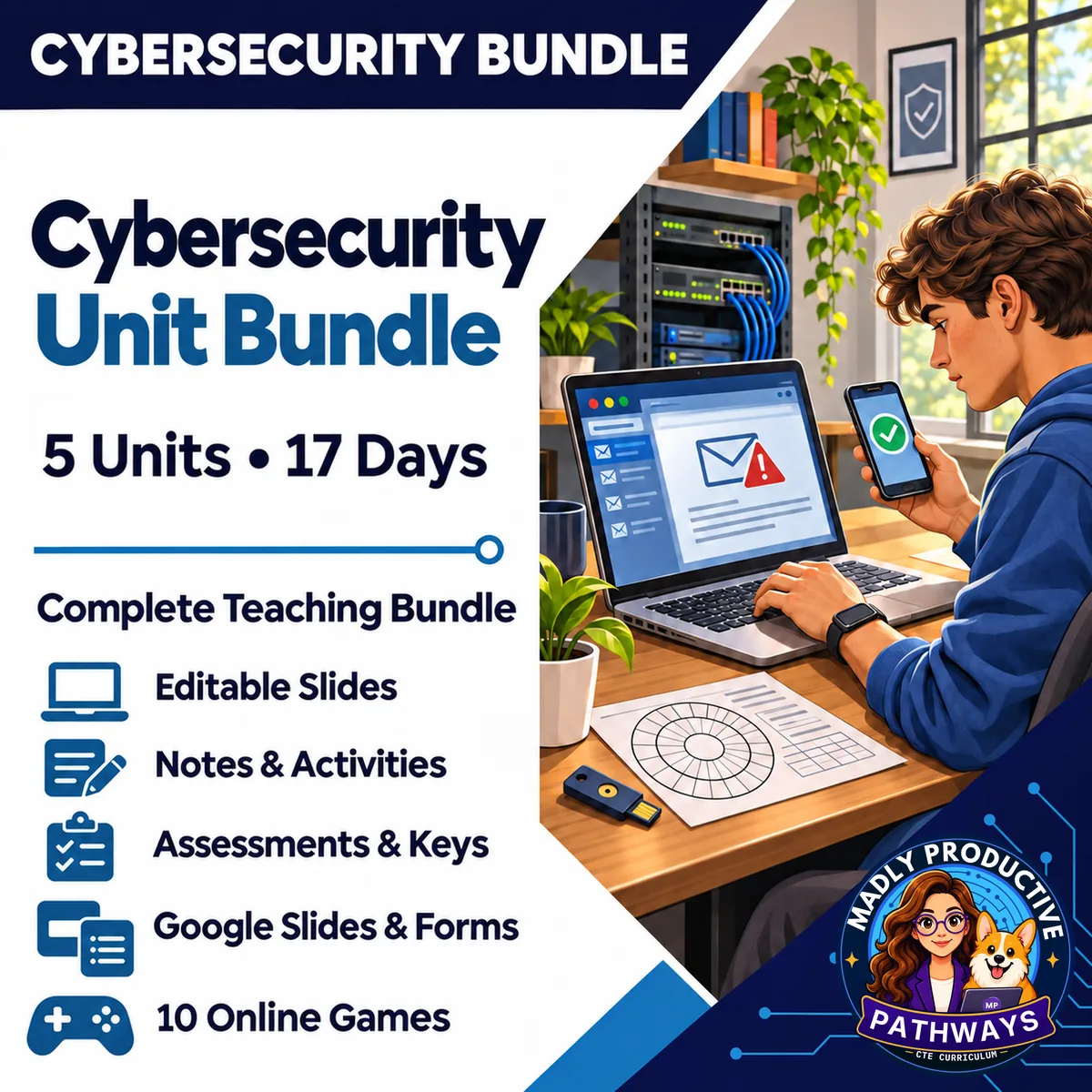
Cybersecurity Unit Bundle | 5 Units, 17 Days, High School Black FridayCyber Monday 20% off5d 02h 07m 41s
5-UNIT BUNDLECYBERSECURITY

Cybersecurity Unit Bundle

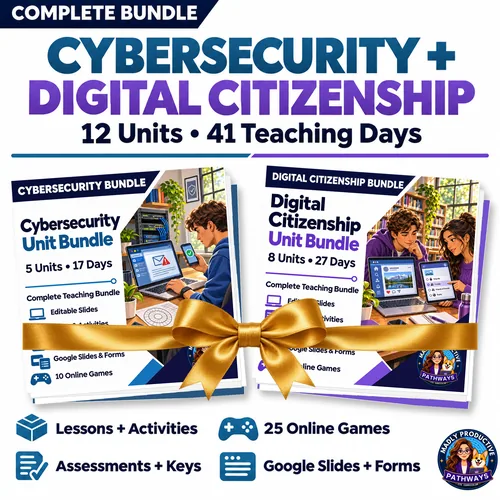
Five complete units. 17 days of teaching. One download.

Five classroom-ready cybersecurity units that behave the same way, with nothing to assemble: phishing and social engineering, deepfakes and AI scams, cyber attacks and malware, passwords and account security, and encryption and cryptography. Every unit starts with a real situation and gets to the rule second. Print the guided notes, open the deck, run the activity, collect the exit ticket. Every deck also comes as Google Slides, and 10 online games let students practice on a computer or tablet.

17 days of instruction 185 files, every page keyed Forms, Slides & PowerPoint 10 online games
Was $30, now $24

● Instant download · Lifetime access · Editable & print-ready

🎁 Not ready to buy? Try a free sample lesson: Spotting Phishing →
Free for your students

10 online games come with this

See all the games

Every unit in the bundle comes with short browser games that practice its lessons with new examples. Students play on a computer or tablet, with no account and nothing to install. Use one with the lesson or instead of the paper activity.

See all the games
See inside the curriculum

What's in Every Lesson

Every unit uses the same seven folders, so once you have taught one you know exactly where everything is in the other four.

Google Slides + PowerPoint
One PowerPoint deck per teaching day — 229 slides in all, every deck also in Google Slides™ — plus a printable bell ringer to open with.
Guided Notes
One per day in editable Word and print-ready PDF, each with a complete key.
Original Scenarios
Ten long-form cases across the bundle, with everything students read printed on the page.
Printed Activities
One sheet a day, 2 pages and 7 points, with the answer boxes on the same page. Nothing to cut out, laminate or post.
Quizzes & Exit Tickets
An exit ticket every day, 51 questions in all, and a 28-point unit quiz for each of the five units.
Self-grading Google Forms™
22 self-grading forms for every quiz and exit ticket, and every deck in Google Slides™, ready for Google Classroom™.
Answer Keys
Every page keyed: what to look for, a model response, what else to accept, what to reject.
Online Games
10 browser games, two per unit, about 8 to 21 minutes each, on a computer or tablet with no account.

See the Actual Pages

One page out of four of the five units, exactly as it prints. Nothing here is a mock-up.

Phishing & Social Engineering

Guided notes students actually fill in

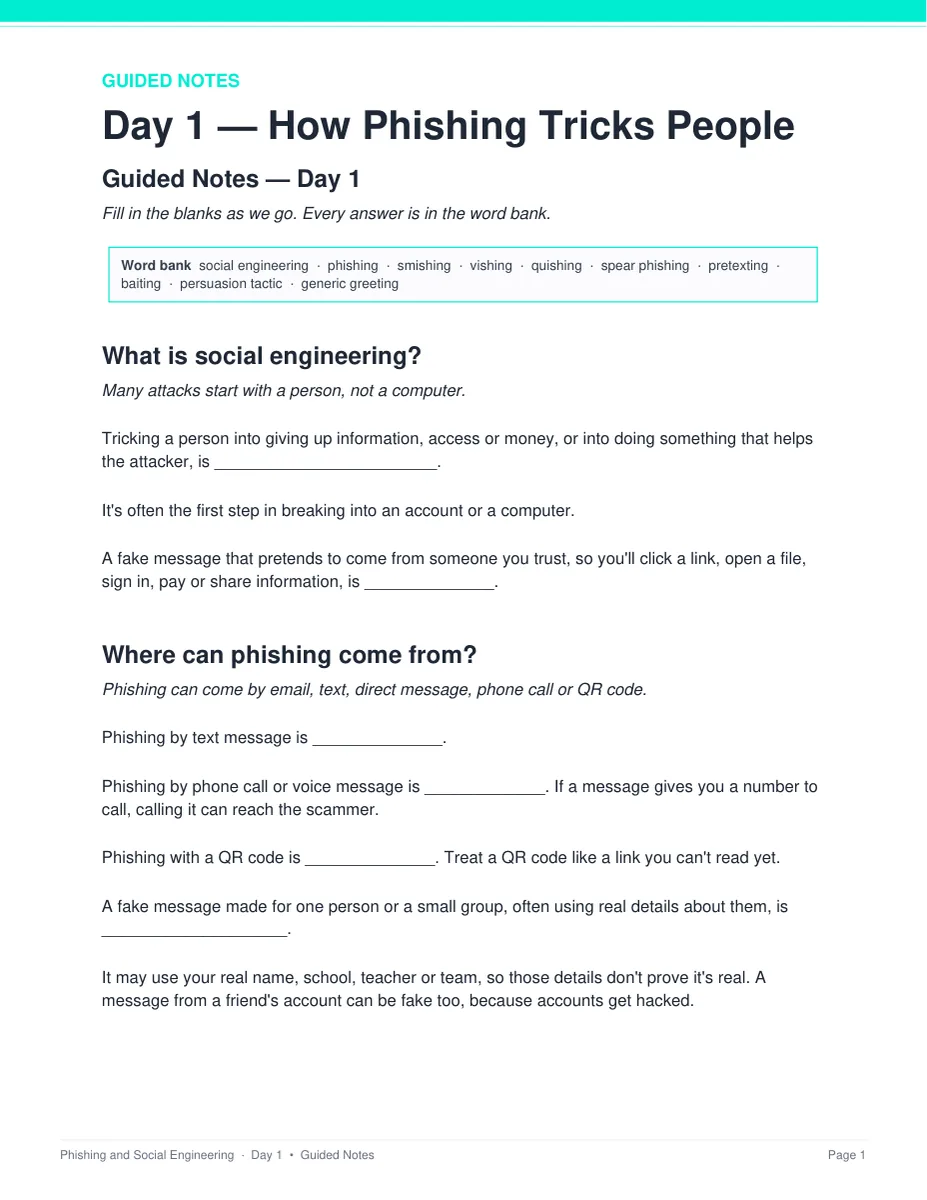
Every day has its own notes packet built from that day's slides, in the same order you teach them. Editable Word and print-ready PDF, and every one has a complete key.
  • ✓ Word and PDF for all 17 days
  • ✓ A word bank of ten terms a day
  • ✓ Full answer key for every page
Page 1 of the Day 1 guided notes from the Phishing and Social Engineering unit, with the word bank and blanks on social engineering and where phishing comes from
Deepfakes & AI Scams

One printed sheet a day

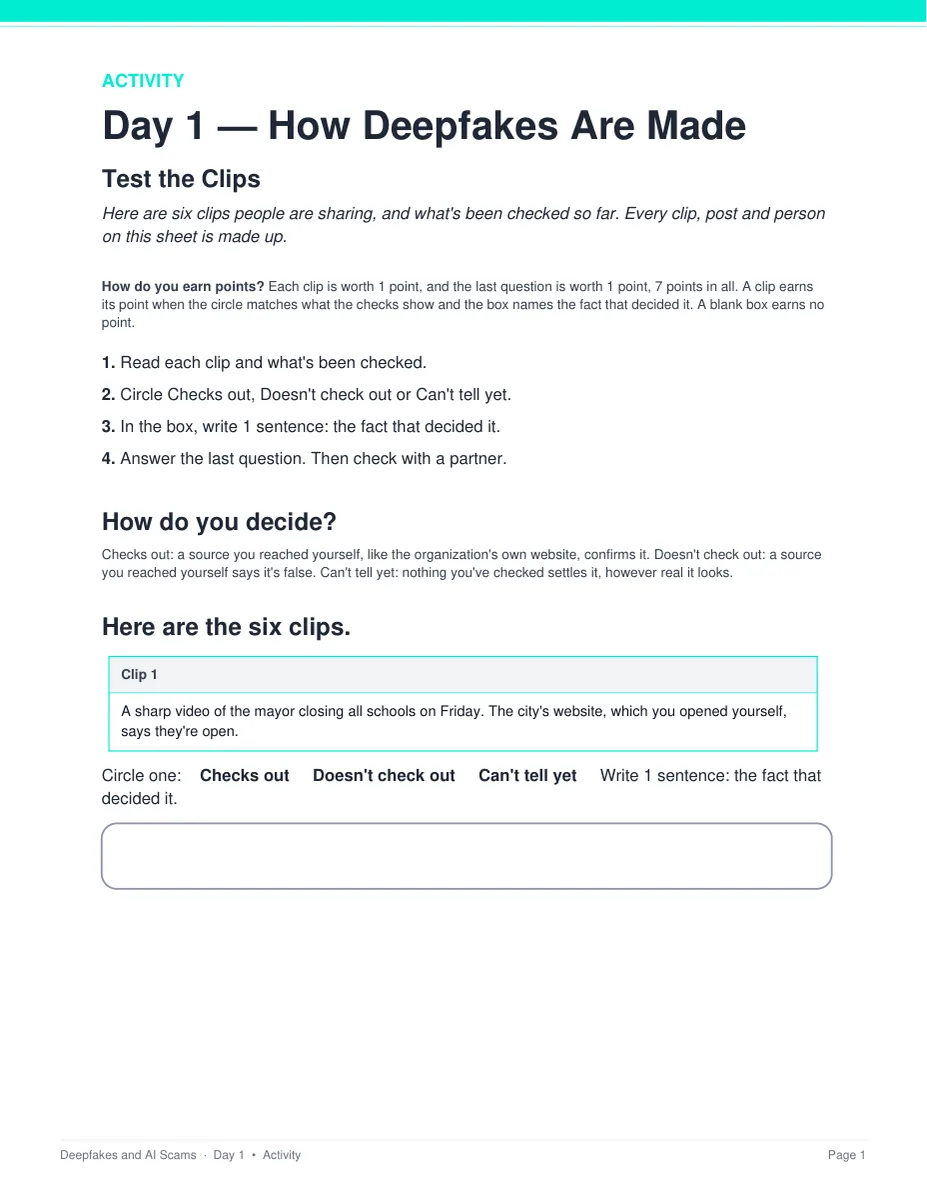
The activity prints on the page students write on, with the answer boxes right there, and each day's sheet has its own shape. Students work it alone first, then check with one partner. Nothing gets cut out, laminated or posted.
  • ✓ 2 pages and 7 points a sheet
  • ✓ Nothing to cut out or laminate
  • ✓ A sample answer and when to give the point
Page 1 of Name the Fake, the Day 1 activity from the Deepfakes and AI Scams unit: four ways AI can make fake media and the first two made-up fakes
Cyber Attacks & Malware

Original cases with everything students read on the page

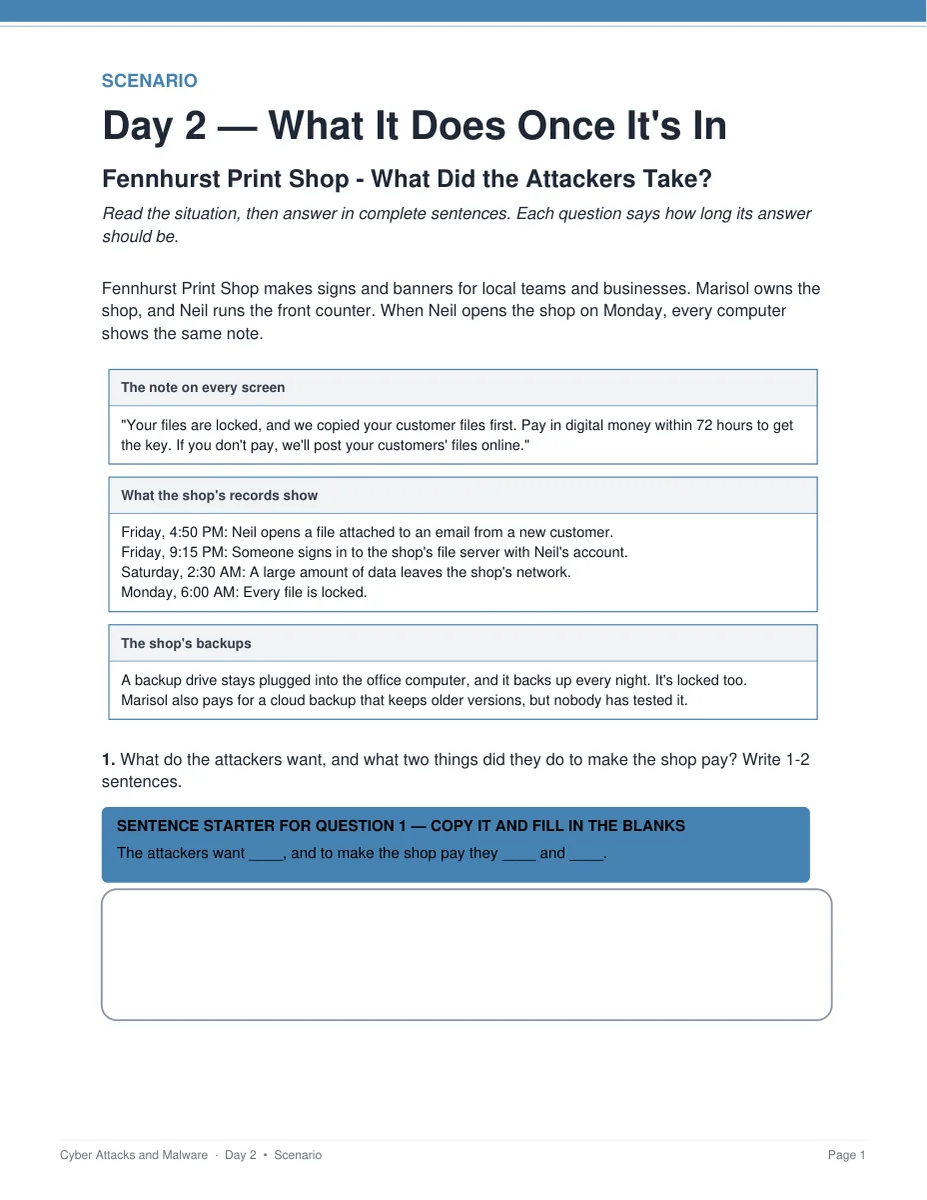
Ten long-form scenarios across the bundle, each about people and places that do not exist. Students read the messages, records and notes printed on the page, then work out what happened and what to do. Each takes about 20 minutes, as homework or an extra period.
  • ✓ Two named scenarios per unit
  • ✓ Every person, company and school invented
  • ✓ Teacher key with sample answers
Page 1 of the Fennhurst Print Shop scenario from the Cyber Attacks and Malware unit: the note on every screen, the shop's records and its backups
Passwords & Account Security

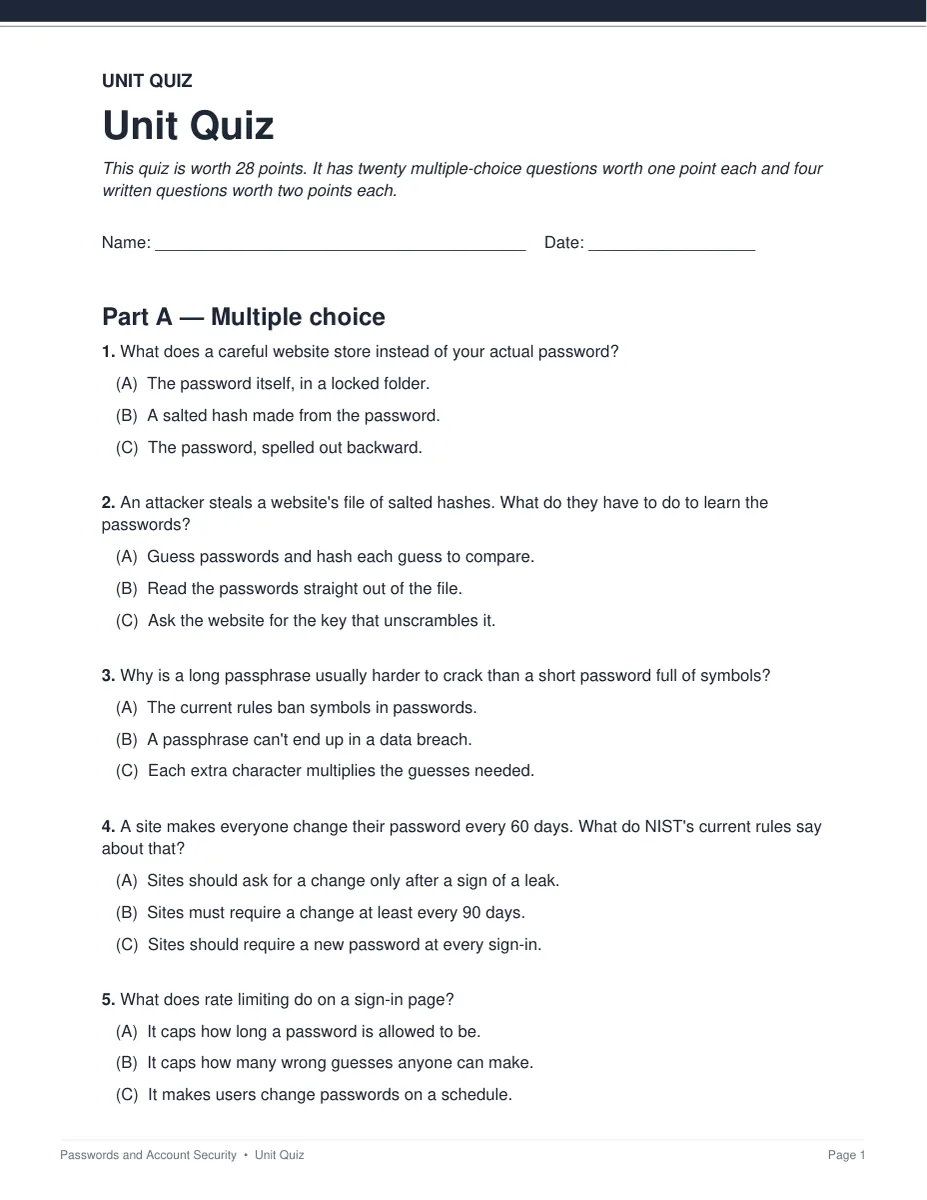
A 28-point quiz per unit, already written

Twenty multiple choice and four written answers, sitting after the lessons rather than crammed into the last one. Run it as an extra day or set it as a take-home with the self-grading Google Form.
  • ✓ Five unit quizzes, 28 points each
  • ✓ Self-grading Google Forms™ version included
  • ✓ Keyed with what to accept and what to reject
Page 1 of the 28-point unit quiz from the Passwords and Account Security unit, opening with multiple-choice questions on salted hashes, passphrases and NIST's password rules

What's in the bundle · 5 units

01
Phishing & Social Engineering
4 days · 41 files · tactics, the click, web addresses, reporting
02
Deepfakes & AI Scams
4 days · 41 files · voice cloning, provenance, response
03
Cyber Attacks & Malware
3 days · 34 files · how it gets in, what it wants
04
Passwords & Account Security
3 days · 34 files · length, the second step, recovery
05
Encryption & Cryptography
3 days · 34 files · ciphers, keys, what encryption can't do
In every one of the five units
READ FIRST teacher guide
Minute-by-minute pacing
Skills Map & state standards
Printable bell ringers
Vocabulary glossary
A printed activity a day
Two original scenarios
Two online games
Google Forms & Google Slides
Every answer key

Plus a Convert to YOUR State's Standards page in each unit, with a copy-paste AI prompt — this topic files under health in one state and CTE in the next.

Why Teachers Choose It

A situation first, the rule second

Every unit opens on something that already happened to somebody, then works out the principle from it.

Nothing says “answers will vary”

Every written question ships with what to look for, a model response, what else to accept, and what to reject.

The timings are measured

Five minutes of bell ringer, 13 of slides and guided notes, 20 of activity and 7 for the exit ticket, and a few days shift a minute either way. Every day fits a 45-minute period.

No background needed

Written for a general-education class. You do not need a computer science room or a cybersecurity background to teach it.

Nothing to cut out

Every activity prints on the page the student writes on, with the answer boxes right there. Nothing to cut, laminate or post, and students write in boxes rather than on lines.

Safe to teach

Every person, message and company in these units is made up, and no student page names a real app or brand. The units explain what happens, never how to do it.

Editable, print and digital

Decks in PowerPoint and Google Slides, handouts in Word, print-ready PDFs of everything, and 22 self-grading Google Forms™ for every quiz and exit ticket.

10 online games

Two per unit, about 8 to 21 minutes each, played in the browser on a computer or tablet with no account. Use one with a lesson or instead of that day's paper activity.

What Teachers Say

Be the first to review this

Reviews help me a lot, and they help other teachers pick the right resources for their classes. It takes about a minute.

Leave a review

FAQ

What exactly is in the bundle?
Five complete units — Phishing & Social Engineering (4 days), Deepfakes & AI Scams (4 days), Cyber Attacks & Malware (3 days), Passwords & Account Security (3 days), and Encryption & Cryptography (3 days). 185 files in all, counting the bundle's READ FIRST guide, and 376 printed pages: 229 editable slides with every deck also in Google Slides™, guided notes in Word and PDF, ten original scenarios, a printed activity sheet for every day, an exit ticket every day (51 questions in all), five 28-point unit quizzes, 22 self-grading Google Forms™, 170 vocabulary terms, 10 online games, and an answer key for every page.
Do I need a cybersecurity background to teach it?
No. These are general-education digital-literacy units written for a teacher who has never taught the subject. Every unit opens with a READ FIRST guide that says what to print and when, and every page has a key.
Do the units have to be taught in order?
No. Each unit stands on its own and can be taught in any order, or on its own as a one-week block. The order shown is simply the one that reads best if you are teaching all five: how an attack reaches a person, how a convincing fake is made and checked, what an attack is after, how an account is protected and recovered, and how data is kept private.
Is this the AP Cybersecurity course?
No, and that is deliberate. These are standalone units with no AP framework attached. Each unit's Skills Map lists the standards that match, day by day: 2026 CSTA computer science codes, Common Core literacy codes and, in four of the five units, ISTE. If you are teaching an AP section, the full AP Cybersecurity course is a separate product with 24 topic packets and AP-style assessment.
Is there anything to cut out or laminate?
No. Every activity is a single printed sheet, two pages and seven points, with the answer boxes on the same page the student writes on. Students work it alone first, then check with one partner. There is nothing to cut, laminate, post or store between classes.
Where are the online games?
On this site, at madlyproductivepathways.com/activities/cybersecurity, with a page for each unit. There are 10, two per unit, about 8 to 21 minutes each: Tag the Tactic and Whose Site? (Phishing), Call Back and Follow It Back (Deepfakes), Sandbox Lab and Sign-In Watch (Cyber Attacks), Approval Duty and Take It Back (Passwords), and Codebreaker's Desk and Who Holds the Key (Encryption). Each game's short link prints on its day's activity sheet and answer key, and each unit's teacher guide lists its games with their play times. Use a game in addition to a lesson or instead of that day's paper activity. Students play in the browser on a computer or tablet, with no account.
Is it safe to hand out as-is?
Yes. The units explain what happens, never how to do it, and no task asks a student to make, send or test a scam, an attack or a fake. Every person, school and message students study is invented, and no student page names a real app or brand. The only real links in the lessons open each unit's own Google Forms, Google Slides and online games, plus a few official reporting sites, such as ReportFraud.ftc.gov and ic3.gov.
Can I buy just one unit?
Yes. Every unit is sold on its own. The bundle costs less than the five singles together, so it pays off once you want four of the five.
What formats are the files in?
Editable .pptx decks with a Google Slides™ copy of every deck, editable .docx handouts, and print-ready .pdf of everything, plus self-grading Google Forms™ for every quiz and exit ticket. The icons and diagrams are real vector shapes, so you can recolor, resize or delete any of them. Nothing is locked.

Teach cybersecurity next week.

One download. Five units, 17 days planned, every key included.
See the five units