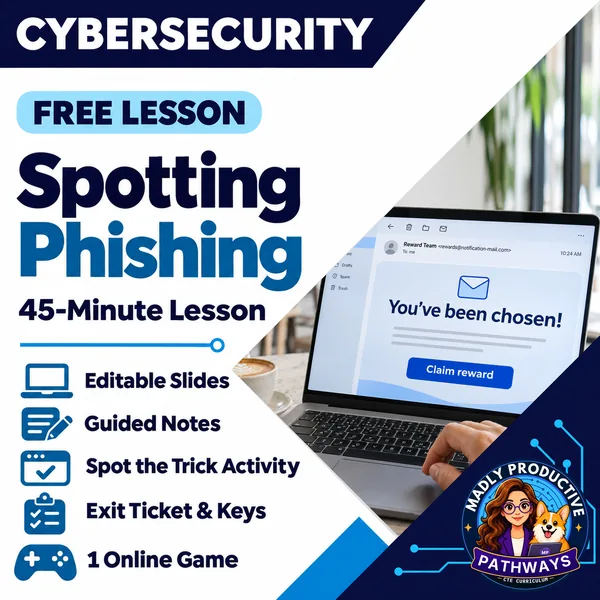
Teach students how phishing tricks people in one 45-minute lesson. They learn the ways scam messages arrive, from email and texts to calls and QR codes, the tactics that push people to act before they think, and why a message with real details can still be a scam. Editable slides, guided notes, a bell ringer, an activity and an exit ticket, with every answer key written out.
Enter your email and we'll send you one password that unlocks every freebie on the site.
 Print + digitalPDF, PowerPoint, Word & Google
 Every page keyedNothing says “answers will vary”
 Google Form exit ticketThe multiple choice grades itself
 1 online gameTag the Tactic, computer or tablet
Short browser games that practice each day's lesson with new examples. Students play on a computer or tablet, with no account and nothing to install. Use one with the lesson or instead of the paper activity.
See the games→A lot of phishing advice tells students to look for typos and strange senders. A real scam can be written cleanly, and it can use real details like a student's name, school or team. This lesson teaches the tactics behind the message instead, so students can spot a scam even when nothing looks wrong. Its main idea: phishing gets you to act before you think, so slow down when a message asks for something.
In one period, students learn what social engineering and phishing are, the ways phishing arrives (email, text, direct message, phone call and QR code), spear phishing, pretexting and baiting, and the seven persuasion tactics: authority, urgency, fear, curiosity, trust, scarcity and reward. The packet follows the same open-and-teach folder system as the paid units: 00 Start Here / 01 Present / 02 Student Handouts / 04 Activities / 05 Assessment / 06 Answer Keys.
Print it or teach it digitally. The slides also come as Google Slides, the exit ticket is a self-grading Google Form, and the online game Tag the Tactic practices the same skill with new messages on a computer or tablet.
One made-up email went to every student at Quillmont High, and four of its phrases are marked. Students name the trick in each one and quote the words that show it, then name two tricks that don't need an email at all: a new student who wants to borrow a login, and a free game that says to turn off antivirus first. The last question asks whether perfect spelling makes the email real. Students work alone first, then check with one partner. Two pages, 7 points, and the key gives a sample answer and a rule for every point.
 Start Here: Teacher

 Present: Whole class
 Student Handouts
 Activity
 AssessmentOnline gameDigital: Google Forms™ and Google Slides™Answer Keys
 Print and digital
Print-ready PDFs, the slides as Google Slides™ and the exit ticket as a self-grading Google Form™. You get copy links, so both land in your own Drive and the multiple choice grades itself.
A real online gameTag the Tactic, about 9 to 12 minutes, practices the lesson's skill with new examples. Students play it in the browser on a computer or tablet, with no account.
Nothing says “answers will vary”Every written question ships with a model answer and the rule for giving the point, so you can hand the key to a sub.
 The timing is measured
Every part of the period was costed against real reading and writing rates, and the whole lesson fits in 45 minutes with time to spare.
 Nothing to cut out
The activity prints on the page the student writes on, and every answer space is a box sized to how much a student should write.
 Safe to hand out as it is
No task asks a student to write, send or test a scam, and every person, message, company and school in the lesson is invented.
Yes. Enter your email to get the library password, then use it to download this lesson and every other freebie on the site.
Enter your email once and we send you a single library password by email. Type that password in any "Unlock" box and every download turns on. Your device remembers it, so you won't need to re-enter it on each visit.
Grades 9 to 12. It fits a computer science, technology or CTE class, and it works in advisory too.
An editable PowerPoint deck, an editable Word copy of the guided notes, and print-ready PDFs of everything, plus copy links for the Google Slides™ version of the deck and the self-grading Google Form™ version of the exit ticket.
On this site. Tag the Tactic is the Phishing and Social Engineering unit's Day 1 game, and it sits with that unit's games at madlyproductivepathways.com/activities/cybersecurity/phishing. Its short link, madlyproductivepathways.com/play/tag-the-tactic, prints on the activity sheet, at the top of the answer key and in the one-page teacher guide. It takes about 9 to 12 minutes and plays in the browser on a computer or tablet, with no account. Use it in addition to the lesson or instead of the paper activity; if it replaces the activity, grade the lesson by its exit ticket.
Yes. No task asks a student to write, send or test a scam, and every person, message, company and school in the lesson is invented. The only real links in the lesson open its own Google Form, Google Slides deck and online game.
It is Day 1 of the 4-day Phishing and Social Engineering unit, which goes on to what happens after a click, how to read a web address, and how to check and report a message. That unit is part of the Cybersecurity Unit Bundle: 5 units, 17 days and 185 files in one download.

 Cybersecurity