
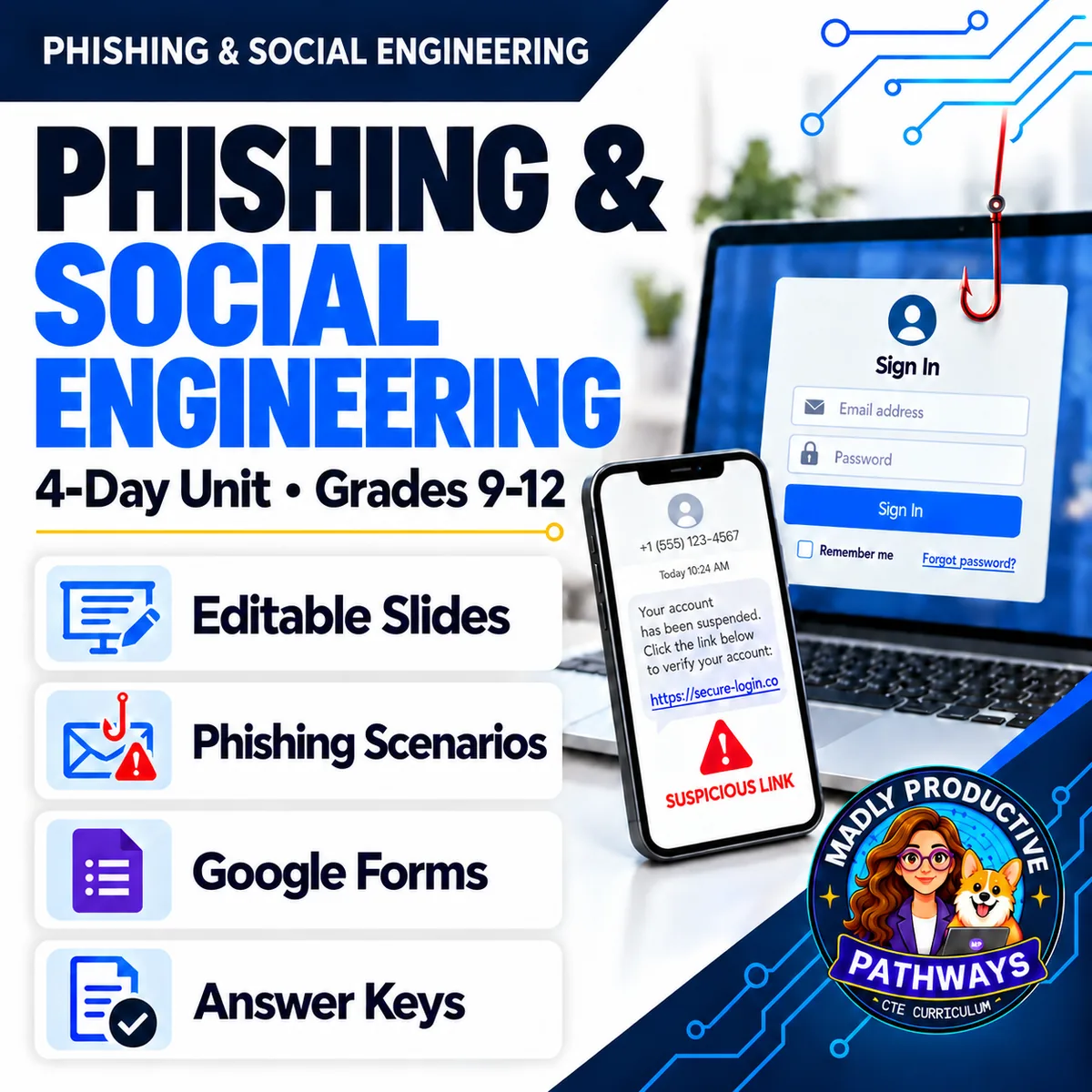
Phishing & Social Engineering
 Cybersecurity Grades 9–12 4-day unit 39 deliverables
 Your students are already receiving these messages. Four complete days on phishing and social engineering, written for a general-education class and ready to print. You do not need any cybersecurity background to teach it, and nothing to prepare beyond hitting print.
● Instant download · Lifetime access · Editable & print-ready
 Editable formatsPowerPoint, Word, PDF & Google
 Every page keyedNothing says “answers will vary”
 Self-grading formsThe quiz and all 4 exit tickets
 No background neededPrint it and teach it
What does this unit cover?
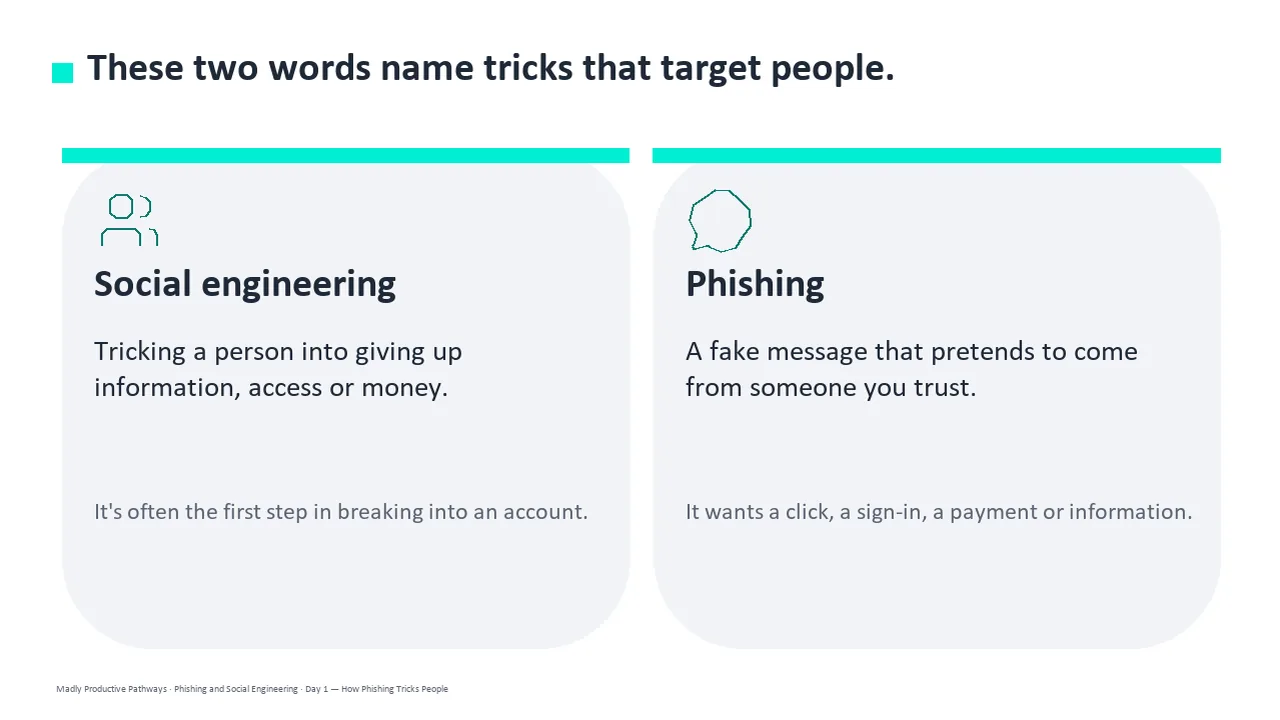
Four days on how a scam actually reaches a person and what to do about it: How Phishing Tricks People, What Happens After the Click, Reading a Web Address and Check It and Report It. Day 1 covers the seven persuasion tactics and the shapes phishing arrives in — email, text, call, direct message and QR code — and spear phishing, pretexting and baiting.
It is current, which most phishing material is not. Advice to hunt for spelling mistakes stopped working when scam messages started being written with AI, and a padlock never meant a site was honest. Day 3 teaches students to find where the domain name actually ends and read it from the right. Day 4 teaches the habit the rest rests on: check a message through a route you choose yourself, never the link, number or reply the message hands you.
Everything follows the same open-and-teach folders as the rest of the line: 00 Start Here / 01 Present / 02 Student Handouts / 03 Scenarios / 04 Activities / 05 Assessment / 06 Answer Keys. Every student page is written at a grade 9-10 reading level, with real terms taught and then used.
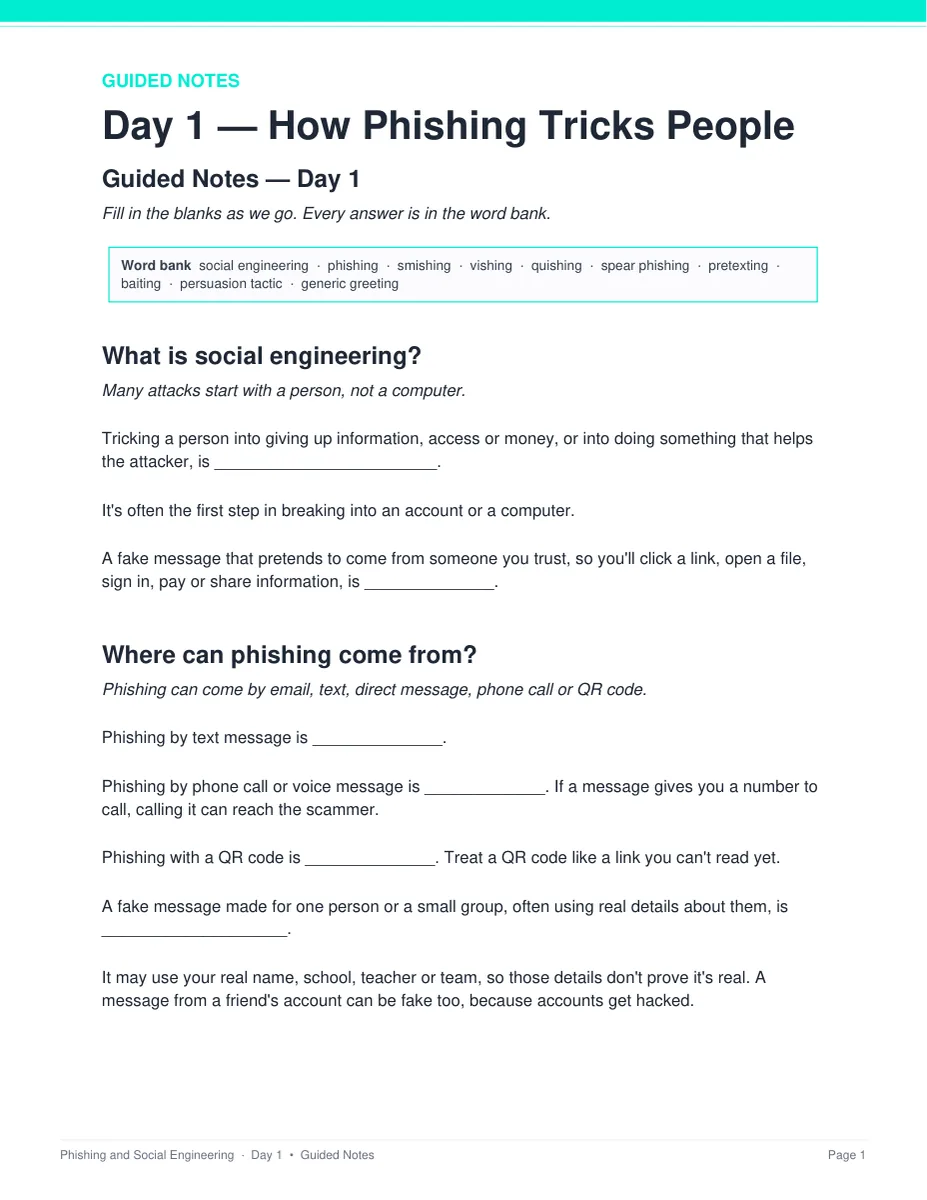
Westbrook Gear — Who Really Sent the Email?
At 2:40 on a busy Saturday, the store tablet gets an email in the owner's name asking for a supplier deposit to a new account, and it ends with “Don't call.” A text from an unknown number follows, saying to keep it quiet. The store's saved contacts say something different. Students name two warning signs, say what the scam wants and why it tells them not to call, and say what should happen before any money moves. Two pages, six points, keyed.
Everything that's included
 00 Start Here: Teacher
- READ FIRST guide: what to print, in what order
- Teacher guide and pacing: measured minute-by-minute timings
- Skills Map and state standards, with a Convert to YOUR State's Standards page
 01 Present: Whole class
- One editable PowerPoint deck per day — 51 slides in all
- Four printable bell ringers, one per day
 02 Student Handouts
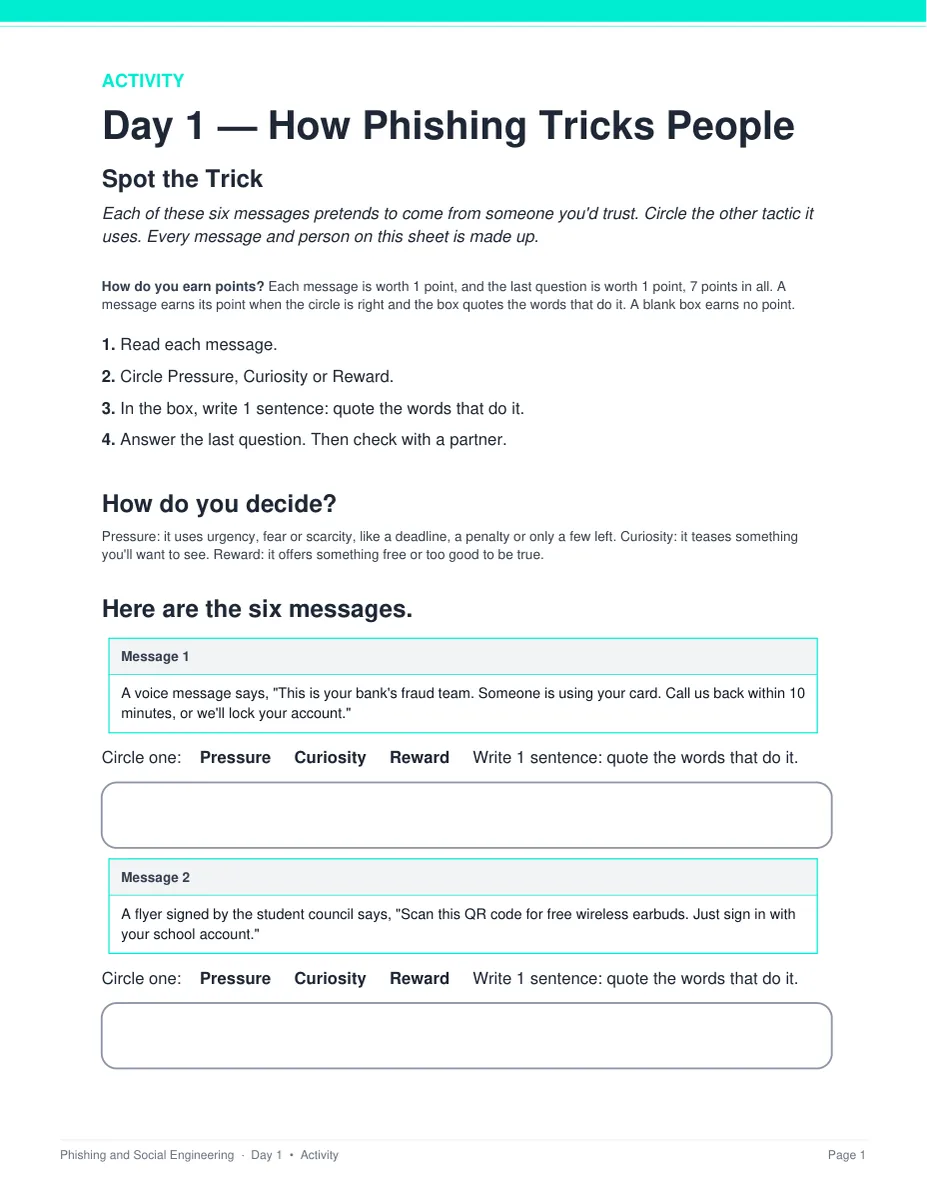
- Guided notes for all four days, in editable Word and print PDF
- Vocabulary glossary: all 40 terms from the word banks, defined
 03 Scenarios
- Westbrook Gear — Who Really Sent the Email?, with the real message
- Hilldane Tutoring — Whose Page Was It?, a second long-form case, keyed
 04 Activities
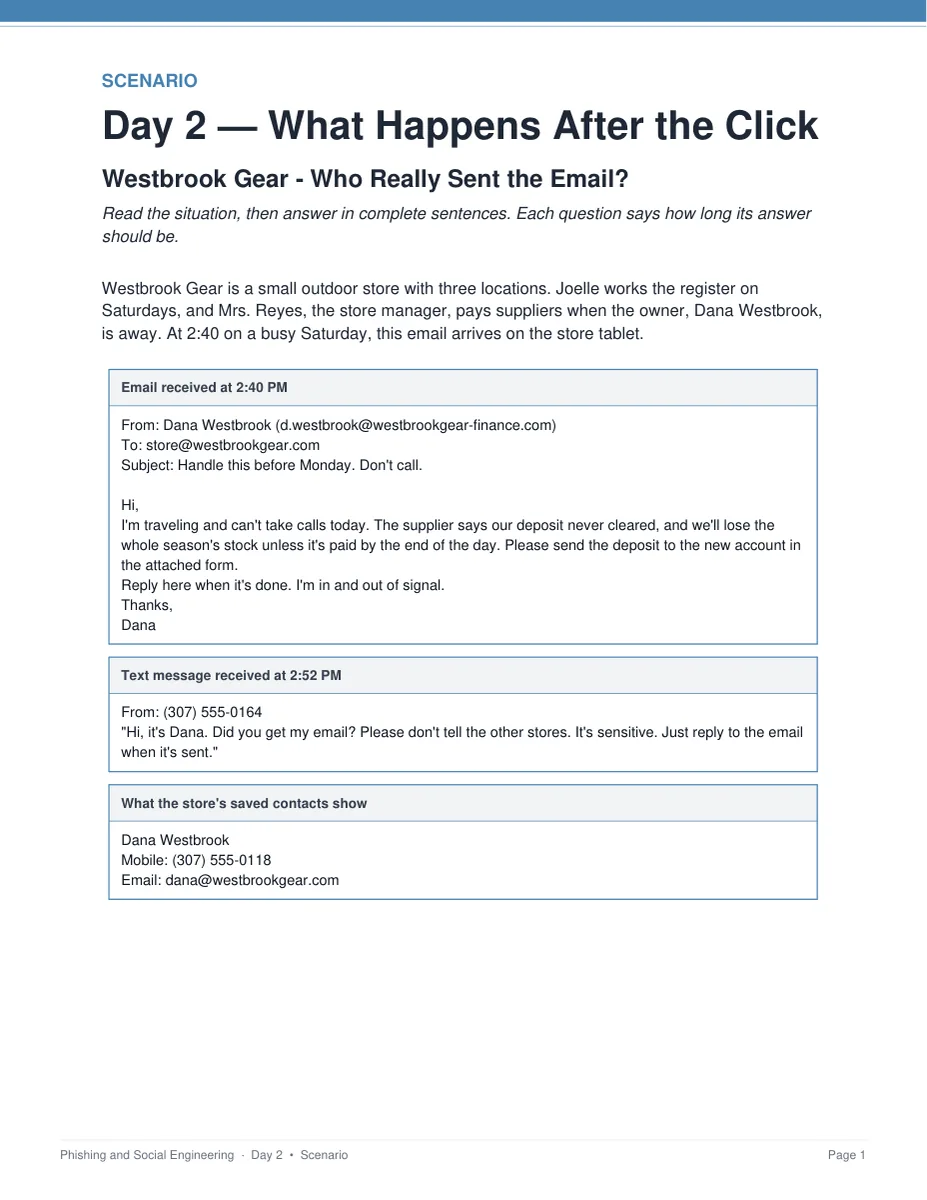
- Spot the Trick: name the tactic in six messages and quote the words
- Follow the Phish: what is each message after — the account, the money or the device
- Check the URL: find where the domain name ends and say which link is the real site
- Verify First: check another way, report it, or secure the account
 05 Assessment
- Four exit tickets, one per day, 4 points each
- Unit quiz: 28 points, 20 multiple choice and 4 written at 2 points each
Digital: self-grading Google Forms™
- The unit quiz and all four exit tickets as ready-to-assign forms (28 auto-graded items)
- Multiple choice grades itself on submit, with feedback on every wrong answer; written responses land in your response sheet
06 Answer Keys
- Seven key PDFs, 23 pages: every activity, scenario, exit ticket and the quiz
- Every written prompt keyed with what to look for, a model response, what else to accept, and what to reject
See the actual pages
Page one of four real files out of the download, exactly as they print.
One editable deck per day
Twelve to thirteen slides a day, low text, with the diagrams drawn as real vector shapes rather than flat images. Recolor them to match your room, or delete any of them.
- ✓ 51 slides across the four days
- ✓ Native PowerPoint, opens in Google Slides
- ✓ The guided notes follow the slides in order
Notes students fill in as you teach
A two-page packet per day with a word bank at the top and real room to write. Editable Word and print-ready PDF, and every one has a complete key.
- ✓ Four days, Word and PDF
- ✓ Grade 9-10 reading level
- ✓ Full answer key for every page
The message students actually read
Two long-form cases with the messages printed in full. Every company, person, address and phone number in them is invented, so there is nothing live on the page.
- ✓ Westbrook Gear and Hilldane Tutoring
- ✓ Two pages and six points each
- ✓ Teacher key with sample answers
One printed sheet a day
Six made-up messages, and students circle the answer and quote the words that prove it. The answer boxes are on the same page, so there is nothing to cut out, laminate or post. Students work alone first, then check with one partner.
- ✓ Four sheets, 2 pages and 7 points each
- ✓ Nothing to cut, laminate or store
- ✓ A sample answer and when to give the point
Why teachers pick this unit
 It is current
“Look for spelling mistakes” stopped working when scams started being written with AI, and a padlock never meant honest. Every claim in the unit was checked against primary sources in September 2026.
Students quote the evidenceEvery activity item asks for the words that prove the answer, not just a circle. The keys say exactly when that earns the point.
Nothing says “answers will vary”Every written question ships with what to look for, a model response, what else to accept, and what to reject.
 No background needed
Written for a general-education class. Nothing to prepare beyond hitting print, and every day stands alone as a sub plan.
 Nothing to cut out
Every activity prints on the page the student writes on, with the answer boxes right there. Nothing to cut, laminate or post between classes.
 Safe to teach
Every task is recognition or explanation. No activity asks a student to write, send or test a phishing message, and every message, company and address on the page is invented.
What Teachers Say
Be the first to review this
Reviews help me a lot, and they help other teachers pick the right resources for their classes. It takes about a minute.
Leave a reviewQuestions teachers ask
How do I get the files after I buy?
Instant download right after checkout. You get editable PowerPoint and Word, print-ready PDF of everything, and the links for the self-grading Google Forms™.
Do I need a cybersecurity background?
No. This is a general-education digital-literacy unit written for a teacher who has never taught the subject. The READ FIRST guide says exactly what to print and when, and every page has a key.
Is there anything to cut out, laminate or prepare?
No. Each day's activity is one printed sheet, two pages and seven points, with the answer boxes on the same page the student writes on. Students work it alone first, then check with one partner. There is nothing to cut, laminate, post or store between classes.
When does the unit quiz happen?
It sits after the four lessons, not inside them. The quiz is 28 points and about 25 minutes, and all four periods are full lessons, so it is never crammed into Day 4. Run it as a Day 5 in class or set it as a take-home with the Google Form. Either way you already have a grade for every student from the four exit tickets.
Is it safe to hand out as-is?
Yes. Every person, company, school and web address in the unit is invented, every phone number sits in the 555-0100 to 555-0199 reserved range, and the only real web addresses anywhere in it are the two reporting sites students are told to use. No task asks a student to write a message that could actually be sent — Day 1's finish-early task says so on the page: describe the message, do not write one someone could send.
What standards does it map to?
The Skills Map names the standards that match rather than claiming alignment: 2026 CSTA HS-SYS-SE-31 and HS-SYS-SE-32, with the 2017 codes 3A-NI-06 and 3A-NI-08 beside them; Common Core RI.1, RI.6, RST.3 and RST.4 for grades 9-10 and 11-12; and ISTE 1.2.d and 1.3.b. A Convert to YOUR State's Standards page is included for rewriting it in your own state's wording.
Can I buy this with the other cybersecurity units?
Yes. The Cybersecurity Unit Bundle holds this unit plus Deepfakes & AI Scams, Cyber Attacks & Malware, Passwords & Account Security, and Encryption & Cryptography — 17 days in one download, for less than the five bought separately.