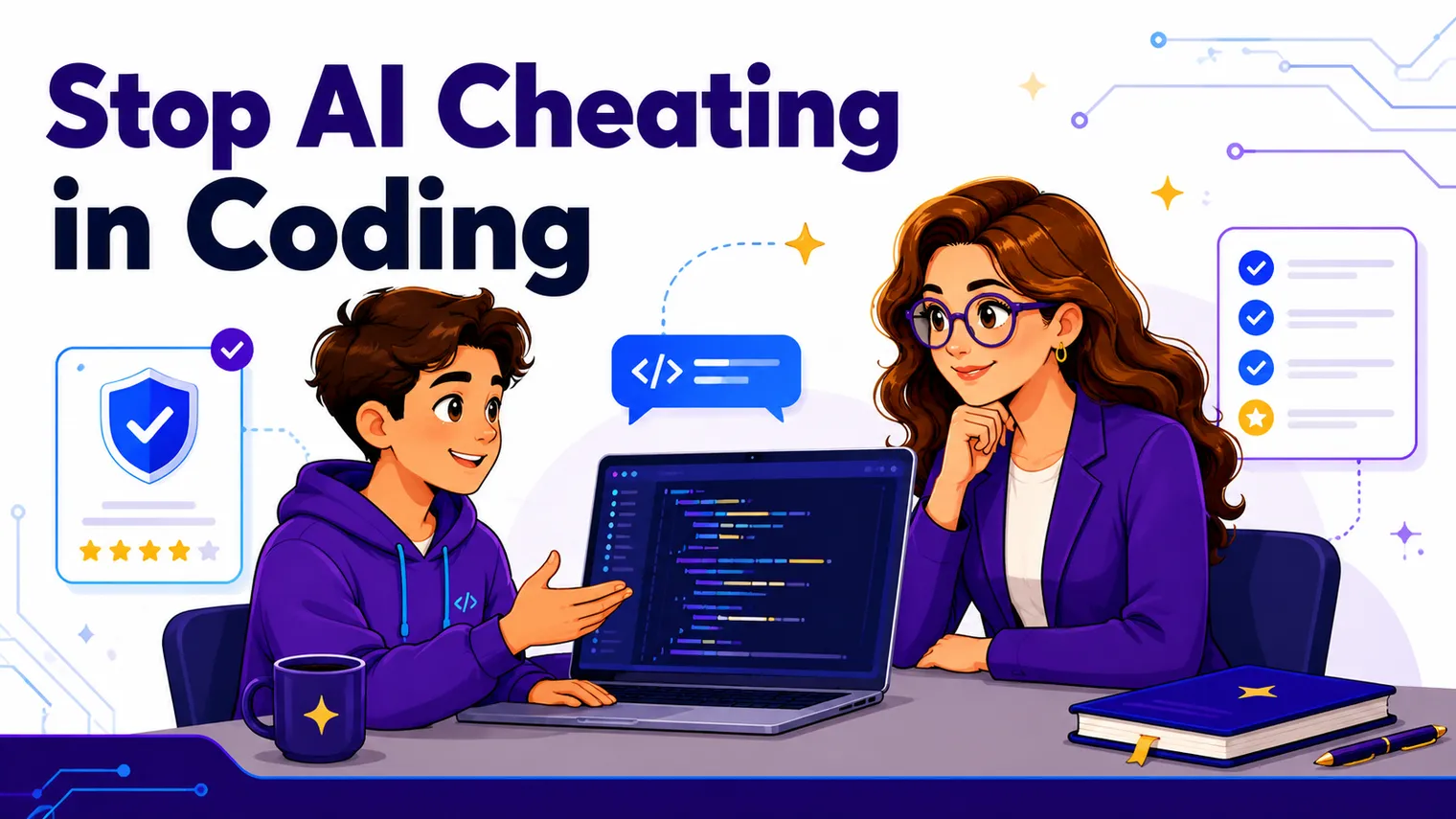
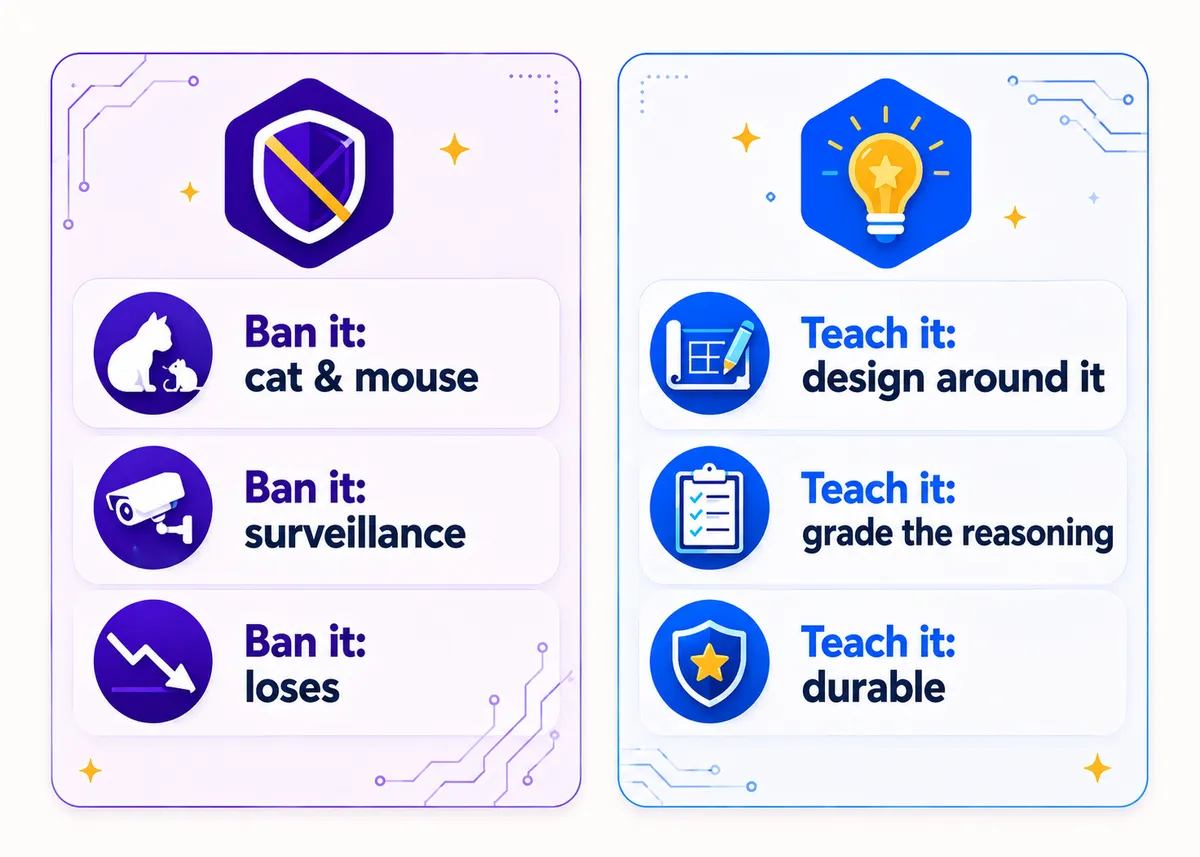
A student can paste your assignment into an AI tool and have working, nicely commented code back before you finish reading the prompt aloud. That is the world you are teaching in now, and no amount of “please don’t” is going to change it. You cannot ban your way out of this, and the schools trying to do it with surveillance and lockdown browsers are mostly just exhausting themselves. The durable fix is quieter: build assessments AI cannot do for the student without them learning something, and teach the tool itself as a skill. Here is how to do both without turning your class into an interrogation room.
Why does AI break the old “did it run” assessment?
For years the assessment in a coding class was basically: does the program produce the right output? Submit the file, the autograder checks it, done. That worked because writing code that runs was the hard part, so a correct result was decent proof a student could do it.
That proof is gone. When an AI tool can hand over a correct, runnable solution in seconds, “the code runs” tells you almost nothing about whether the student in front of you can write it, read it, or fix it. The output and the skill have come apart, and any assessment that only looks at the output is now measuring the wrong thing.
So the move is not to fight harder for the artifact. It is to grade the thing AI cannot quietly produce for a student: their reasoning, in a setting where they have to show it.
How do you design coding assessments AI cannot fake?
This is the whole game. You want tasks where a student who outsourced the thinking gets exposed naturally, because the task requires understanding they would have to actually build. A handful of formats do this well, and most fold easily into what you already teach.
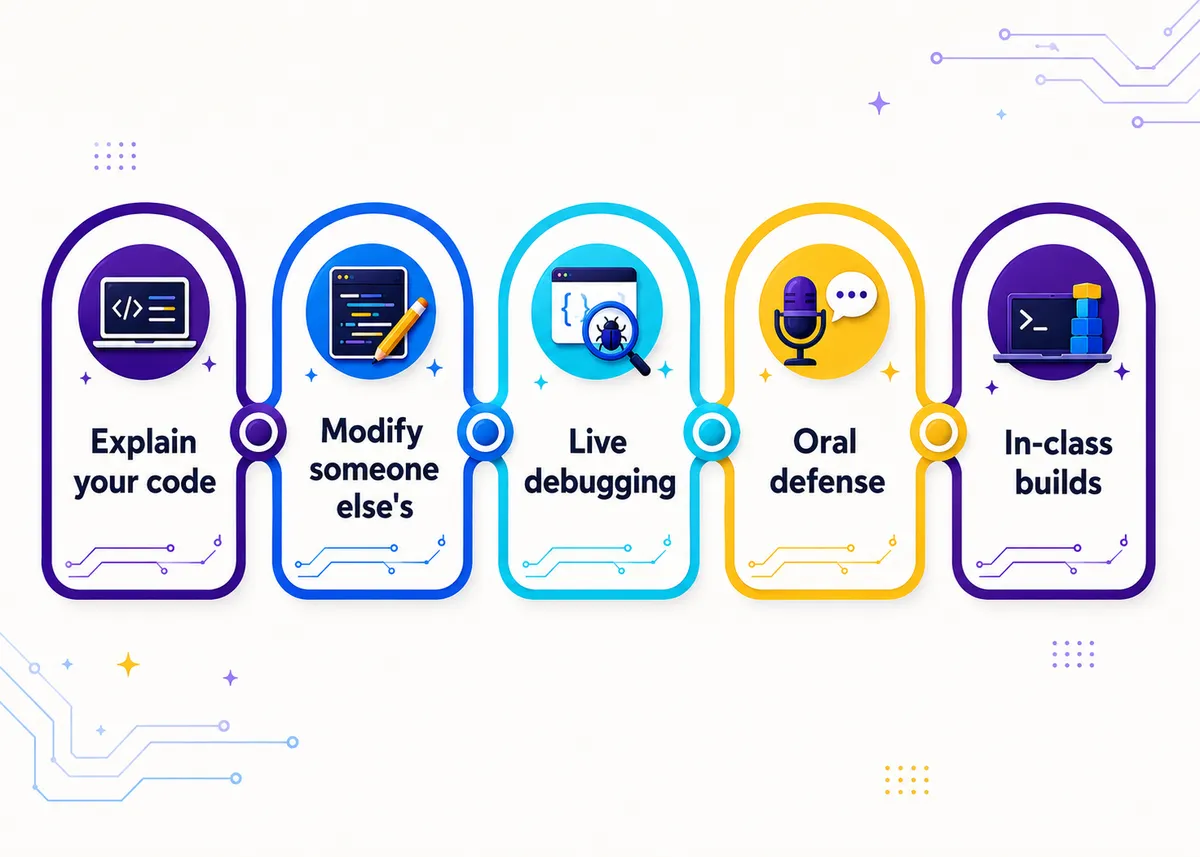
- Explain-your-code. Students submit code plus a short walkthrough: what each part does, why they structured it this way, what they would change. AI can write the function. It cannot make a student understand the function. A vague or contradictory explanation tells you more than any plagiarism scanner.
- Modify someone else’s code. Hand students a working program and ask them to add a feature, fix a constraint, or adapt it to a new requirement. Reading and changing unfamiliar code is a real skill, and it is much harder to fake than generating fresh code from a prompt.
- Live debugging. Give them a broken program and watch them fix it, in class, in real time. The student who wrote (or understood) their own work moves through it differently than the one staring at code they have never actually read.
- Oral defense. Two or three minutes, one on one: walk me through your project, why this approach, what was the hard part. You learn almost everything you need in the first thirty seconds. This scales better than it sounds if you do it during work time while the rest of the class builds.
- In-class builds. Some portion of the grade comes from code written in the room, on a normal day, with you walking around. It does not have to be locked down or high-stakes. It just has to be a regular, observed part of the picture.
- Process artifacts. Require a planning sketch, a list of what broke and how they fixed it, or a short “what I tried first” reflection. These make the thinking visible even when the final file looks polished, and they reward the messy, real work AI skips straight past.
You do not need all six. Pick two or three that fit your course and weave them in so they feel like normal coursework, not a tribunal. The common thread is that every one of them grades the reasoning, not just the result, which is the same backward-from-the-skill design that runs through all of CTE assessment (the full version is in How to Assess CTE Skills).
Here is a quick way to see why the new formats hold up where the old one does not:
Should you ban AI or teach it?
Teach it. A blanket ban is both unenforceable and a little dishonest, because using AI well is now part of how real developers work, and pretending otherwise sends students into the field missing a skill the field already expects. The honest stance is that AI is a tool you are going to teach them to use, the same way you would teach them to use documentation or a debugger.
That does not mean “anything goes.” Teaching AI as a skill means teaching its failure modes: where it confidently invents functions that do not exist, why you cannot trust code you do not understand, and when reaching for it short-circuits the learning you actually need to do. A student who can use AI and knows when not to is exactly who you are trying to graduate. We get concrete about that kind of work in AI Literacy Activities for High School Students.
The framing that works in class: AI is allowed for the parts that are not the point, and off-limits for the parts that are. When the point is learning to write a loop yourself, you turn it off. Later, when the loops are routine and the point is shipping a bigger project, you let them use it like a professional would. The skill being assessed decides the rule, not a one-size policy stapled to the syllabus.
How do you set a clear AI-use policy?
Most AI “cheating” in a coding class is not malice. It is students guessing in a fog, because nobody told them where the line is. A clear, written, per-assignment policy removes the fog and removes most of the problem with it.
Make it specific and put it on the assignment itself, not buried in a syllabus from August:
- State the rule per task, not per course. “AI allowed for debugging help, not for writing the core logic” beats a vague class-wide ban that everyone interprets differently.
- Use a simple traffic-light system. Green (use freely), yellow (allowed with disclosure), red (not for this one). Students stop guessing when the rule is three words and a color.
- Require disclosure, not confession. Ask students to note where they used AI and what they used it for. Framed as normal practice (real developers cite their sources too), this gets you honesty instead of hiding.
- Tie it to the skill. Tell them why a given task is red: “the point of this one is that you can write the recursion yourself, so AI would skip the part you need.” Students follow rules they understand far better than rules they just have to obey.
A policy that explains itself does most of your enforcement for you, because the kids who would have drifted into outsourcing now know exactly what they are trading away.
How do you spot likely AI work (gently)?
First, a reality check: you cannot prove it, AI-detection tools are unreliable enough to be dangerous, and accusing a student you cannot be sure about will cost you more trust than the cheating did. So the goal here is not catching, it is noticing, and then routing what you notice into one of the conversations above.
Some honest signals, none of which are proof on their own:
- A gap between the code and the coder. Polished, idiomatic code from a student who struggles with the basics in class. The work and the worker do not match.
- Style they cannot account for. Patterns, libraries, or approaches you never taught and they cannot explain when you ask.
- The explanation falls apart. This is why explain-your-code and oral defense are your best tools: a student who outsourced the work usually cannot narrate it. The assessment design does the noticing for you.
- It works but they cannot change it. Ask for a small live modification. Genuine authorship shows up fast when the code has to move.
When something pings, do not open with an accusation. Open with a question: “walk me through this part.” Have them explain or modify it live, and let the work speak. If they can defend it, you were wrong and no harm done. If they cannot, you have a teaching moment about what they are actually skipping, which lands far better than a zero and a referral. The fix and the detection are the same move.
Frequently asked questions
Can you stop students from using AI to cheat in a coding class? Not by banning or surveilling it, no. What works is designing assessments AI cannot quietly do for a student (explain-your-code, live debugging, oral defense, in-class builds) and teaching AI as a skill with a clear, per-task policy. Grade the reasoning, not just the output.
Are AI detectors reliable for code? No, not reliably enough to accuse a student on. Treat any detector flag as a prompt to look closer, never as proof. A short oral defense or a live modification tells you far more than a detection score, and it is fair to the student.
Should I just ban AI in my computer science class? A blanket ban is unenforceable and leaves students missing a skill the field now expects. Teach AI as a tool with clear rules about when it helps and when it short-circuits learning. Allow it for the parts that are not the point, and turn it off for the parts that are. For classroom-ready ways to teach that judgment, see AI Literacy Activities for High School Students.
How do I write an AI policy for coding assignments? Make it specific and per-assignment, not one line in the syllabus. A traffic-light system (green/yellow/red) plus a short disclosure requirement removes the guesswork. Tell students why a task is red, and they follow it far more willingly.
What if I think a student used AI but cannot prove it? Do not accuse. Ask them to walk you through the code or make a small live change. If they can, you were wrong and lost nothing. If they cannot, you have a real conversation about the skill they are skipping, which beats an unprovable accusation every time.
The wide-angle view of teaching this whole subject (including where AI fits) is in How to Teach High School Technology. The free, ready-to-use starting points (rubrics, first-week activities, an AI use policy you can adapt) live in the Free Library. And if you would rather have the assessments built in, our editable AP Computer Science A and AP Computer Science Principles curricula come with performance tasks that make students explain, modify, and defend their code, unit by unit.