At some point in your first year, someone (an administrator, a CTE director, a state report) is going to ask how many of your students passed an industry certification. If that question caught you off guard, you’re in the right place. This is the short, practical version: what these certs are, which ones tend to fit which courses, and how to prep students without turning your whole course into a test-prep slog.
One thing up front, because it matters more than anything else here: which certifications “count” depends entirely on your state, and approved lists change every year. Treat everything below as a starting map, not a final answer.
What is an industry certification (IRC) and why do they matter?
An industry-recognized credential (IRC, sometimes just “industry cert”) is a credential issued by an outside organization, not your school, that says a student has proven a specific skill. A student passes a standardized exam from Microsoft, CompTIA, Adobe, or a similar body, and walks away with something an employer recognizes.
They matter for two reasons worth keeping separate. For your program, IRCs are accountability: many states fund and rate CTE programs partly on how many students earn approved credentials, and your pass numbers can show up in a program review. For your students, IRCs are a real signal on a thin résumé: a 16-year-old with no work history can point to a credential an employer actually knows.
Here’s the catch worth repeating: a cert only delivers the accountability win if it’s on your state’s approved list. A credential your state doesn’t recognize is still good for the student, but it won’t count for your program. Check before you build a whole course around one.
Business and finance certs
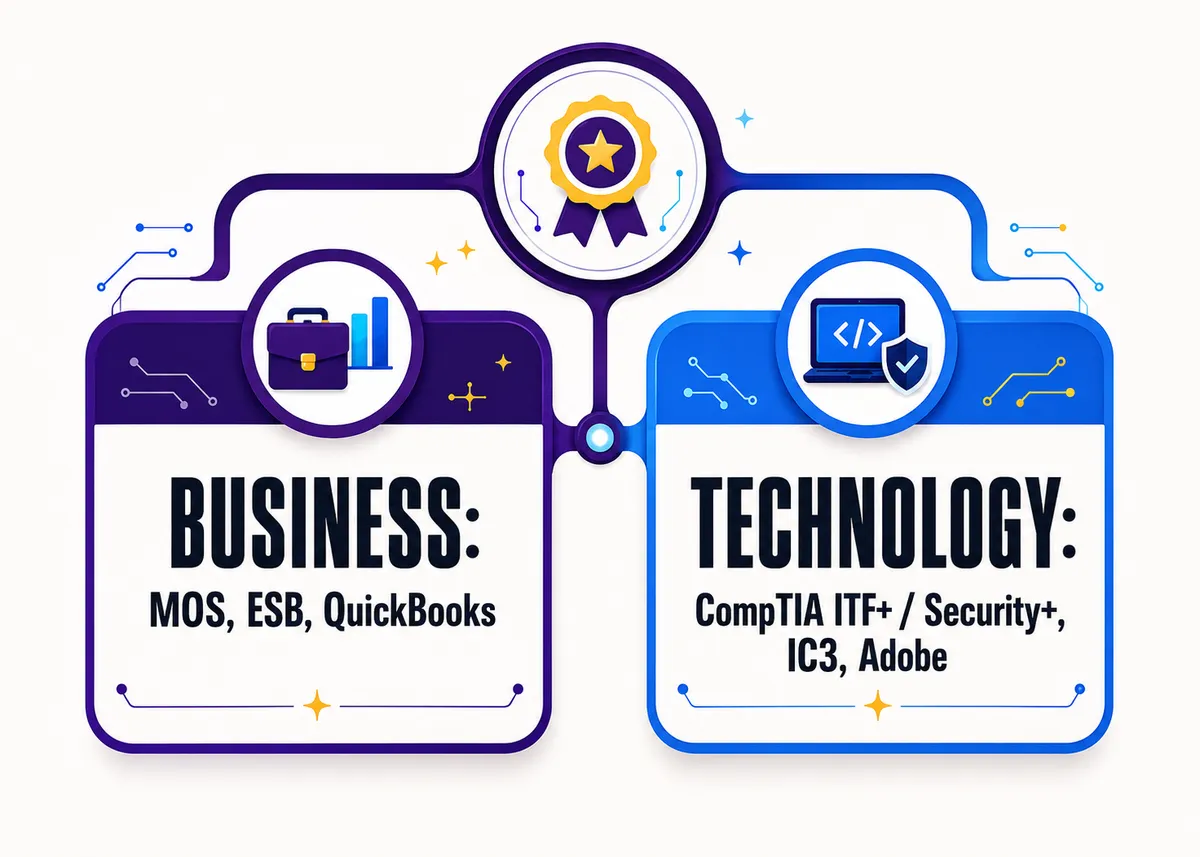
These are the certs you’ll most often see attached to intro business, computer applications, finance, and entrepreneurship courses. Names and versions shift over time, so confirm the current one.
- Microsoft Office Specialist (MOS): the workhorse of business CTE. Students certify in Word, Excel, PowerPoint, or the full suite. Fits computer applications and intro business cleanly, and Excel especially carries real weight.
- Entrepreneurship and Small Business (ESB): built for entrepreneurship courses, covering the fundamentals of planning and running a venture. A natural fit if you teach a business-plan or pitch project anyway.
- QuickBooks Certified User: the accounting-friendly option. If your students keep the books of a small business, this maps onto what you’re already teaching.
- IC3 Digital Literacy: broad digital-literacy fundamentals (computing basics, key applications, living online). Often a fit for an intro or foundations course with very mixed skill levels.
Technology and CS certs
On the tech side, the certs get specialized fast, and the gap between an intro credential and a real IT credential is wide. Pick to match the actual level of your course, not the most impressive logo.
- CompTIA IT Fundamentals (ITF+): the on-ramp, designed for students exploring whether IT is for them. A strong fit for an intro tech or foundations course.
- CompTIA Security+: a serious, widely respected cybersecurity credential, and a genuinely tough one. It belongs in an upper-level or capstone course, not a survey class. Treat it as a stretch goal unless your whole course is built toward it.
- IC3 Digital Literacy: shows up on the tech side too, as a digital-fundamentals option for foundational courses.
- Adobe Certified Professional: the fit for digital media, graphic design, and web courses where students actually work in Photoshop, Illustrator, or similar tools.
- Cisco and networking basics: entry-level networking credentials (Cisco’s introductory networking track is the best known) fit courses that go deep on how networks work.
Here’s the same idea as a quick reference. Narrow your shortlist, then confirm each one against your state list.
| Pathway / course type | Certs that commonly fit |
|---|---|
| Computer applications / intro business | Microsoft Office Specialist (MOS), IC3 Digital Literacy |
| Entrepreneurship | Entrepreneurship and Small Business (ESB) |
| Accounting | QuickBooks Certified User |
| Intro technology / IT foundations | CompTIA ITF+, IC3 Digital Literacy |
| Cybersecurity (upper level) | CompTIA Security+ |
| Digital media / design | Adobe Certified Professional |
| Networking | Cisco / entry-level networking credentials |
This table is a map of what tends to fit, not a list of what your state approves. Only one of those counts on a program review.
How do you choose the right cert for your course?
When you’ve got more than one option (and for business you usually do), run the choice through three questions in order.
Is it on your state’s approved list? Start here, always. Pull up your state Department of Education’s approved IRC or credential list and confirm the cert is on it for your specific course or pathway. This list changes yearly, so check the current one rather than the version a colleague used three years ago. If it’s not approved, it won’t count toward your program’s accountability numbers.
Does it match your course’s actual level? A credential one notch above where your students are is a recipe for a brutal pass rate and a demoralized room. ITF+ before Security+. Foundations before specialist. Be honest about who’s actually sitting in front of you.
Does it overlap with what you already teach? The best cert lines up with your existing projects so prep is mostly reinforcement, not a bolt-on unit. If you already run an accounting course on a small business’s books, QuickBooks is a short hop. If you already run a pitch project, ESB fits the grain of the course.
If a cert clears all three, it’s a strong candidate. If it only clears the first one, slow down.
How do you prep students without teaching to the test all year?
This is the fear, and it’s a fair one: that earning a credential means eight months of drilling exam objectives until everyone wants out. It doesn’t have to, and the courses that get the best results usually aren’t the ones that drill hardest.
Teach the course you’d teach anyway, mapped to the objectives. Most cert objectives are just the real skills of the field. Build your normal project-based course, then check that your units cover the exam domains. The credential becomes a byproduct of good teaching, not a parallel track competing with it.
Use the official exam objectives as a checklist, not your curriculum. Pull the objectives list from the issuing body and treat it as a coverage map: anything you’re not hitting through normal instruction gets a targeted lesson. That’s a small patch, not a whole redesign.
Save concentrated test prep for the last few weeks. Format familiarity is real and worth some time (students should see the question style and a practice exam before the real thing), but it’s a short sprint at the end, not the shape of the whole year.
Don’t make the credential the grade. Tie the course grade to the projects and the reasoning, the way you would in any CTE class. The cert is a bonus students chase, not the thing their semester rides on. That keeps the room motivated instead of anxious, and it protects the students for whom the exam just isn’t the right fit this year.
Where this fits in the bigger picture
Certifications are one piece of a strong CTE program, not the whole thing. For the wider view, start with How to Teach CTE. On the business side, How to Teach High School Business walks through each course and the projects that make it click. On the tech side, How to Teach High School Technology covers the lab, the skill gaps, and what each subject needs.
The Free Library’s career readiness pack and its other no-prep starters (bell ringers, a project rubric, a pacing planner) work whether or not you’re chasing a credential. And if your business courses are prepping students for ESB or MOS, the editable AP® Business with Personal Finance curriculum is built around venture, marketing, and money projects that already practice the skills those exams test.
Frequently asked questions
Where do I find my state’s approved certification list? Your state Department of Education’s CTE division publishes an approved IRC or credential list, usually updated every year. Search for your state’s name plus “approved industry certification list,” and confirm the cert is listed for your specific course or pathway.
Does a certification count everywhere? No. Approval varies by state and the lists change yearly. A credential can be valuable to a student anywhere while still not counting toward your program’s accountability numbers if your state hasn’t approved it.
What’s a good entry-level cert for an intro course? On the business side, Microsoft Office Specialist or IC3 Digital Literacy are common fits. On the tech side, CompTIA ITF+ is built as an on-ramp. Confirm the current approved option for your course before you commit.
What is an industry-recognized credential (IRC)? It is a credential issued by an outside organization (Microsoft, CompTIA, Adobe, and others) rather than your school, certifying that a student has proven a specific skill on a standardized exam. It signals accountability for your program and gives a student with little work history something an employer recognizes.
How do I prep students without teaching to the test all year? Teach the project-based course you would teach anyway, then map your units to the exam objectives and use that list as a coverage checklist, not your curriculum. Save concentrated test prep for the last few weeks, and tie the course grade to the projects rather than the credential.
Which certification fits a cybersecurity course? CompTIA Security+ is the widely respected option, but it is genuinely tough and belongs in an upper-level or capstone course built toward it, not a survey class. For an intro tech course, CompTIA ITF+ is the better on-ramp. See How to Teach High School Technology for how the course levels fit together.