
A free Trinket alternative for your Python class
Trinket shut down on August 31, 2026, and its links and embeds went with it. CodeGrove is our free code editor: students write and run Python, turtle included, right in the browser, with no accounts to set up.
Free, with no sign-in. Checked November 10, 2026.
What happened to Trinket
Trinket shut down on August 31, 2026. Its site is offline, its download tools went offline with it, and Trinket's notice says it cannot recover anyone's content. Old trinket.io links and embeds now show a closed notice.
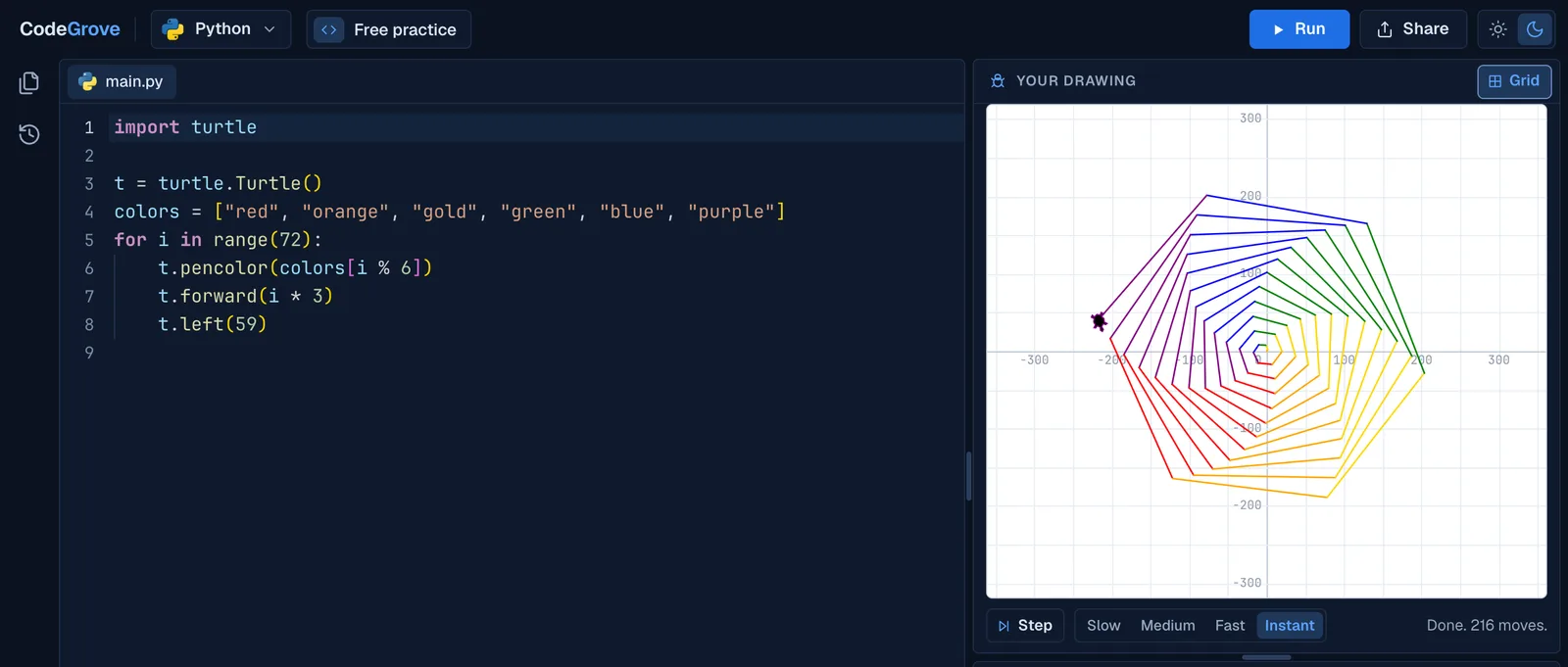
If your lessons, slides or class website link to Trinket, those links now lead students to that notice. CodeGrove covers what most Python classes used Trinket for: writing and running Python, turtle drawings, input(), and sharing code with a link.
What CodeGrove does, and what it does not do yet
| Question | CodeGrove | Details |
|---|---|---|
| Free for students and teachers | Yes | No paid tier and no ads. |
| Student accounts or logins | None | Students open a link and start. |
| Python 3 | Yes | Python 3.14, running in the browser. |
| input() | Yes | Answers go in the Input panel, one per line. |
| Turtle graphics | Yes | Drawings play step by step. |
| Works on school Chromebooks | Yes | Nothing to install. |
| Share code as a link | Yes | The code travels inside the link. |
| Collect and check a whole class | Yes | Students turn in links, and one page checks them all. |
| Embed in Google Sites, Canvas or Schoology | Not yet | Post a CodeGrove link instead. |
| Open a saved Trinket export | One file at a time | Open each main.py with Share, then Open a file. |
| Languages beyond Python | On the way | Python and turtle today. |
| AI chat or AI autocomplete | None | Students write their own code. |
Checked November 10, 2026, against the live editor.
Move a class in three steps
- Remake your starter programs. Open CodeGrove, paste each starter program, then press Share and Copy link. If you saved your trinkets, open each main.py with Share, then Open a file.
- Swap the links. Replace each trinket.io link in Google Classroom, your slides or your class website with its CodeGrove link. Students who open it get your program, ready to run.
- Collect work the new way. Students press Share, then Copy link, and paste the link into your turn-in Google Form. Grade a whole class checks every link at once.
If you saved your trinkets
Before it closed, Trinket offered a Download All Trinkets export as a zip file. Inside, each trinket has its own folder, and a Python trinket's code is in a file called main.py. That layout comes from Trinket's open-source code.
Unzip the export, then open any main.py in CodeGrove with Share, then Open a file, or drag the file onto the editor. Press Share, then Copy link, and you have a link to hand out again.
What to expect from CodeGrove
- No embeds yet. Trinkets lived inside lesson pages. CodeGrove opens in its own tab from a link, with the same program in it.
- No accounts, on purpose. There is no class roster to set up. Work saves in the browser on the student's device and moves with a link or a file.
- Python first. Python and turtle run today, and more languages are on the way.
- Built for school. No ads, no AI writing code for students, and nothing a student types is sent to a server. How CodeGrove handles student data.
Common questions
Is CodeGrove free?
Yes, for students and teachers, with no paid tier and no ads. We built it for our own Python courses, and anyone can use the editor.
Can I get my old Trinket projects back?
Only if you downloaded them before August 31, 2026. Trinket says it cannot recover anyone's content now that the site is offline. If you have the export zip, open each main.py in CodeGrove.
Do students need accounts?
No. Students open a link and start coding. There is nothing to sign up for and nothing to install.
Will turtle programs written for Trinket run in CodeGrove?
Most will. CodeGrove's turtle follows Python's own turtle module, so the usual commands work as written. Keyboard and mouse events such as onkey and onclick are not supported yet.
Will my old trinket.io links send students to CodeGrove?
No. Those links belong to Trinket and now show its shutdown notice. Replace each one with a CodeGrove link.
Can I embed CodeGrove like a trinket?
Not yet. A CodeGrove link carries the code inside it, so students still open exactly the program you set, in a new tab.
More about CodeGrove
Try it with your class
CodeGrove is free for students and teachers. There is nothing to install and no account to make: open the link on a Chromebook, laptop or tablet and start writing code.