What Is Artificial Intelligence?
 Artificial Intelligence
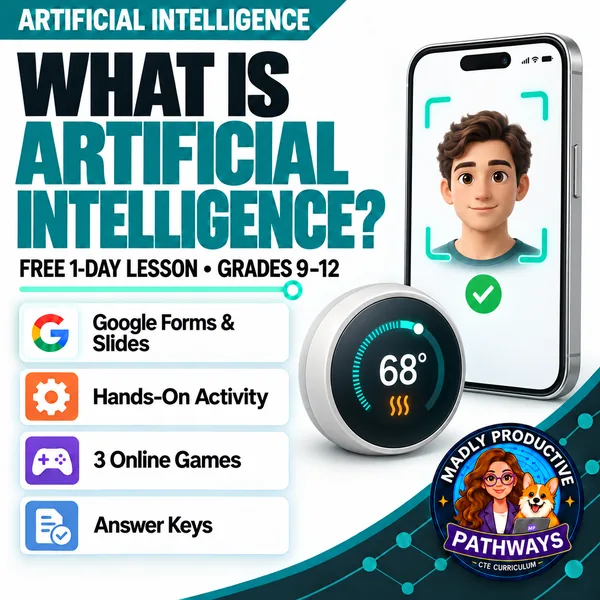
Teach students what people mean by artificial intelligence in one 45-minute lesson. They try to write the if-then rule for four machines: two rules can be written, and two can't, because those machines found patterns in examples. Editable slides, guided notes, a bell ringer, an activity and an exit ticket, with every answer key written out, plus a Google Slides copy, a self-grading Google Form and three online games.
Enter your email and we'll send you one password that unlocks every freebie on the site.
 Print + digitalPDF, PowerPoint, Word & Google
 Every page keyedNothing says “answers will vary”
 Google Form exit ticketThe multiple choice grades itself
 3 online gamesComputer or tablet, no account
Short browser games that practice each day's lesson with new examples. Students play on a computer or tablet, with no account and nothing to install. Use one with the lesson or instead of the paper activity.
See the gamesWhat does this lesson cover?
A lot of lessons about artificial intelligence start with chatbots and robots, and students leave thinking every app is AI or that AI is magic. This one gives them one clear test: can you write the rule? Some machines follow steps a person wrote, and a person can read and change those steps. Others were shown a lot of examples and found the patterns themselves, and nobody wrote that rule down. The word artificial intelligence covers both kinds, and students already use both every day.
In one period, students learn three words that come up all day (algorithm, input and output), the two kinds of machine, what a model is, and how each kind fails: to fix a written rule you change that line, and to fix a found pattern you change the examples. Every person and machine in the lesson is invented, and no activity asks a student to open a chatbot. The packet follows the same open-and-teach folder system as the paid units: 00 Start Here / 01 Present / 02 Student Handouts / 04 Activities / 05 Assessment / 06 Answer Keys.
Write the Rule
Four made-up machines print on the sheet: a phone charger that stops at 100 percent, a sign-up form that refuses an email address with no @ sign, a phone that learned its owner's face from many photos, and a music app that learned what to play next from millions of people's listening. For each one, students try to write the rule it follows, starting with If. When they can't, they write what stopped them. The last question asks what is different about the two they couldn't write. Students work alone first, then check with a partner. Each machine is worth 1 point and the last question 3, and the key gives a sample answer and a rule for every point.
Everything that's included
 Start Here: Teacher
- READ FIRST: the terms of use, then a one-page teacher guide: what students learn, the period minute by minute, how to grade it and the three online games

 Present: Whole class
- Editable PowerPoint deck, 12 slides, with speaker notes on every slide — the icons and layouts are real shapes you can recolor or delete
- The slide script: every slide's speaker notes, printed in order
- A printable bell ringer to open the period
 Student Handouts
- Guided Notes: editable .docx and print-ready .pdf, with 10 blanks and the word bank on the page
- Vocabulary Glossary: all 10 terms from the word bank, defined
 Activity
- Write the Rule: four machines, 7 points; students work alone, then check with one partner
 Assessment
- Exit ticket: 2 multiple-choice and 1 written answer
Digital: Google Forms™ and Google Slides™
- A copy link for a Google Slides™ version of the deck, saved to your own Drive
- A copy link for the self-grading Google Form™ version of the exit ticket, with 2 auto-graded items. Assign it in Google Classroom™ and it grades on submit.
Online games
- Monster Club, about 9 to 12 minutes: follow a written door rule, then predict what a machine that learned from photos will decide
- One Morning, about 8 to 11 minutes: find ten machines in a bedroom, a kitchen and a street, and decide whether each one uses a written rule or a learned pattern
- Robot Repair Shop, about 7 to 9 minutes: fix one sorting robot by editing its written rule and the other with better examples
- They play in the browser on a computer or tablet, with no account. Use one in addition to the lesson or instead of the paper activity. Each game's short link prints on the activity sheet, at the top of the answer key and in the READ FIRST's one-page guide.
Answer Keys
- Two key files, 4 pages: the bell ringer, the guided notes, the exit ticket and the activity
- Every written answer keyed with what to look for, a model response and what to accept or reject, and every machine on the activity has a sample answer and a rule for the point. Nothing is left as “answers will vary.”
Why teachers love this lesson
 Print and digital
Print-ready PDFs, the slides as Google Slides™ and the exit ticket as a self-grading Google Form™. You get copy links, so both land in your own Drive and the multiple choice grades itself.
Three online gamesMonster Club, One Morning and Robot Repair Shop, about 7 to 12 minutes each, practice the lesson's skill with new examples. Students play them in the browser on a computer or tablet, with no account.
Nothing says “answers will vary”Every written question ships with a model answer and the rule for giving the point, so you can hand the key to a sub.
 The timing is measured
Every part of the period was costed against real reading and writing rates, and the whole lesson fits in 45 minutes with time to spare.
 Nothing to cut out
The activity prints on the page the student writes on, and every answer space is a box sized to how much a student should write.
 Safe to hand out as it is
No task asks a student to open a chatbot, make an account or type a prompt, and every person and machine in the lesson is invented.
Questions teachers ask
Is this lesson really free?
Yes. It is free to use with your classes, for good. Enter your email to get the library password, then use it to download this packet and every other freebie on the site.
How do the downloads work?
Enter your email once and we send you a single library password by email. Type that password in any "Unlock" box and every download turns on. Your device remembers it, so you won't need to re-enter it on each visit.
Do students use a real chatbot?
No. No activity asks a student to open a chatbot, and every person and machine in the lesson is invented. No student page names a real company or product.
Where are the online games?
The lesson comes with three: Monster Club (about 9 to 12 minutes), One Morning (about 8 to 11) and Robot Repair Shop (about 7 to 9). Their short links print on page 2 of the activity sheet, at the top of the answer key and in the READ FIRST's one-page guide. They play in the browser on a computer or tablet, with no account, and they aren't made for phones. Use one in addition to the lesson or instead of the paper activity; if a game replaces it, grade the lesson by its exit ticket. You can also preview them on this site at /activities/ai/how-it-works, the games page for the full How Artificial Intelligence Works unit.
What formats are the files in?
Editable PowerPoint and Word, print-ready PDF of everything, plus copy links for a Google Slides™ version of the deck and a self-grading Google Form™ version of the exit ticket. You'll need PowerPoint or Google to edit.
What grade levels and classes is it for?
Grades 9 to 12. It fits a computer science, technology, CTE or advisory class, and you need no background to teach it: the notes follow the slides in order, and every page has a key.
Is there more after this lesson?
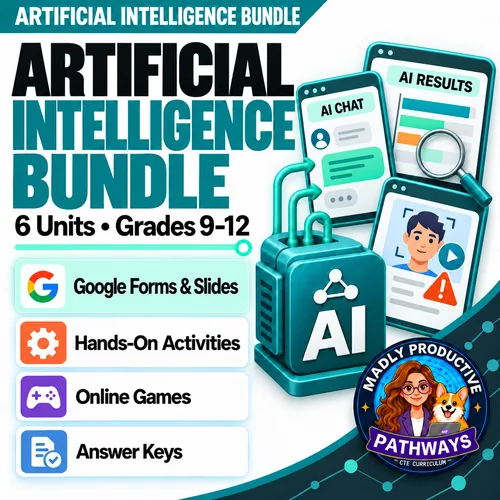
Yes. It is Day 1 of How Artificial Intelligence Works, a five-day unit in which students also learn how a machine learns from examples, how a chatbot writes something new, what it can't do and how to test one themselves. That unit is one of six in the Artificial Intelligence Unit Bundle.