
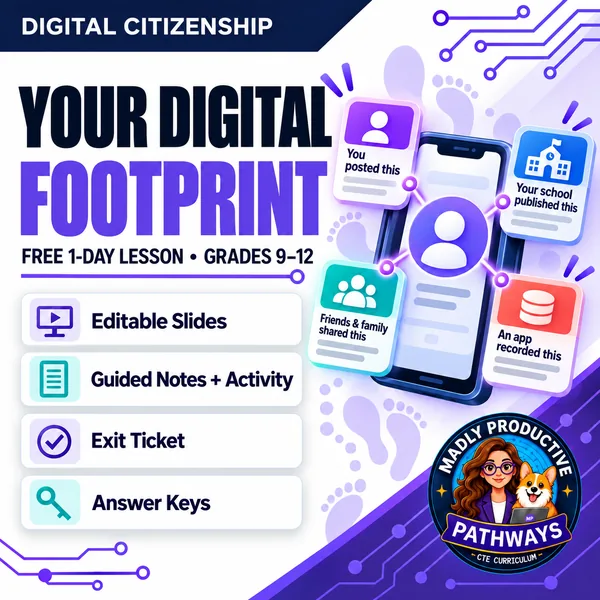
Your Digital Footprint
 Digital Citizenship Grades 9–12 1-day lesson
 Teach students what is really online about them in one 45-minute lesson. They sort a digital footprint by who put each piece there: what a person posted, what friends and family tagged, what schools and teams publish, and what apps record quietly. Editable slides, guided notes, a bell ringer, an activity and an exit ticket, with every answer key written out.
Enter your email and we'll send you one password that unlocks every freebie on the site.
 Editable formatsPowerPoint, Word, PDF & Google
 Answer keysEvery key & rubric included
 AP-style assessmentMCQs + Mini-FRQ built in
 ~10 min prepOpen-and-teach folder system
What does this lesson cover?
Most digital footprint lessons tell students to be careful what they post. That advice misses most of a footprint, because someone else put a lot of it there. This lesson has students sort a footprint by its source, which is what makes the rest of the topic make sense: a student who has never posted anything still has a footprint, and no amount of being careful would have changed it.
Four sources, and students learn to tell them apart: what a person posted, what friends and family tagged or shared, what schools and teams publish, and what apps record quietly in the background. The packet follows the same open-and-teach folder system as the paid units: 00 Start Here / 01 Present / 02 Student Handouts / 04 Activities / 05 Assessment / 06 Answer Keys.
Who Put It There
Students take a made-up person's footprint apart piece by piece and label each one with who actually put it online — the person, a friend or relative, an organization, or an app running in the background. They work alone first, then check with one partner. The sorting is the point: it is what shows a student that most of a footprint was never theirs to post. A full key gives a sample answer for every item and says when to give the point.
Everything that's included
 Start Here: Teacher
- READ FIRST: terms of use, links to the full unit and bundle, and a one-page teacher guide: what students learn, the period minute by minute, and how to grade it
 Present: Whole class
- Editable PowerPoint deck, 12 slides, with speaker notes — the icons and layouts are real shapes you can recolor or delete
- A printable bell ringer to open the period
 Student Handouts
- Guided Notes: editable .docx and print-ready .pdf
- Vocabulary Glossary: all 10 terms from the word bank, defined
 Activity
- Who Put It There: students work alone, then check with one partner
 Assessment
- Exit ticket: 2 multiple-choice and 1 written answer
 Digital: self-grading Google Forms™
- A copy link for the self-grading Google Form™ version of the exit ticket, with 2 auto-graded items. Assign it in Google Classroom™ and it grades on submit.
Answer Keys
- Every question keyed — a sample answer and a line that says when to give the point, for the guided notes, the activity and the exit ticket.
Why teachers love this lesson
 AP-style assessment built in
MCQs follow exam-style length, position, and spread rules. The Mini-FRQ matches exam scoring weights.
 A real-feeling activity
Students don't summarize. They make a defensible decision in a believable workplace moment.
 Open and teach
READ FIRST tells you exactly what to print. About 10 minutes of prep before Day 1.
 Locked design system
Looks like every other topic in the course, so students never wonder where they are.
 Course Audit support
A Standards & Skills Map shows state standards alignment for your syllabus submission.
 Digital-ready
Self-grading Google Forms™. Assign through Google Classroom™ and it grades itself.
Questions teachers ask
Is this Digital Citizenship lesson really free?
Yes. Unit 1, Topic 1.1 is completely free. Enter your email to get the library password, then use it to download this packet and every other freebie on the site.
How do the downloads work?
Enter your email once and we send you a single library password by email. Type that password in any "Unlock" box and every download turns on. Your device remembers it, so you won't need to re-enter it on each visit.
What grade levels and course is it for?
Built for grades 11 to 12 Digital Citizenship. It also works as a strong standalone CTE lesson.
What formats are the files in?
Editable PowerPoint and Word, print-ready PDF, plus self-grading Google Forms™ for the MCQ set and Mini-FRQ. You'll need PowerPoint or Google to edit.
Do I need a textbook?
This curriculum is designed to supplement, not replace, a high school digital citizenship textbook adopted by your school for AP® Course Audit compliance.