
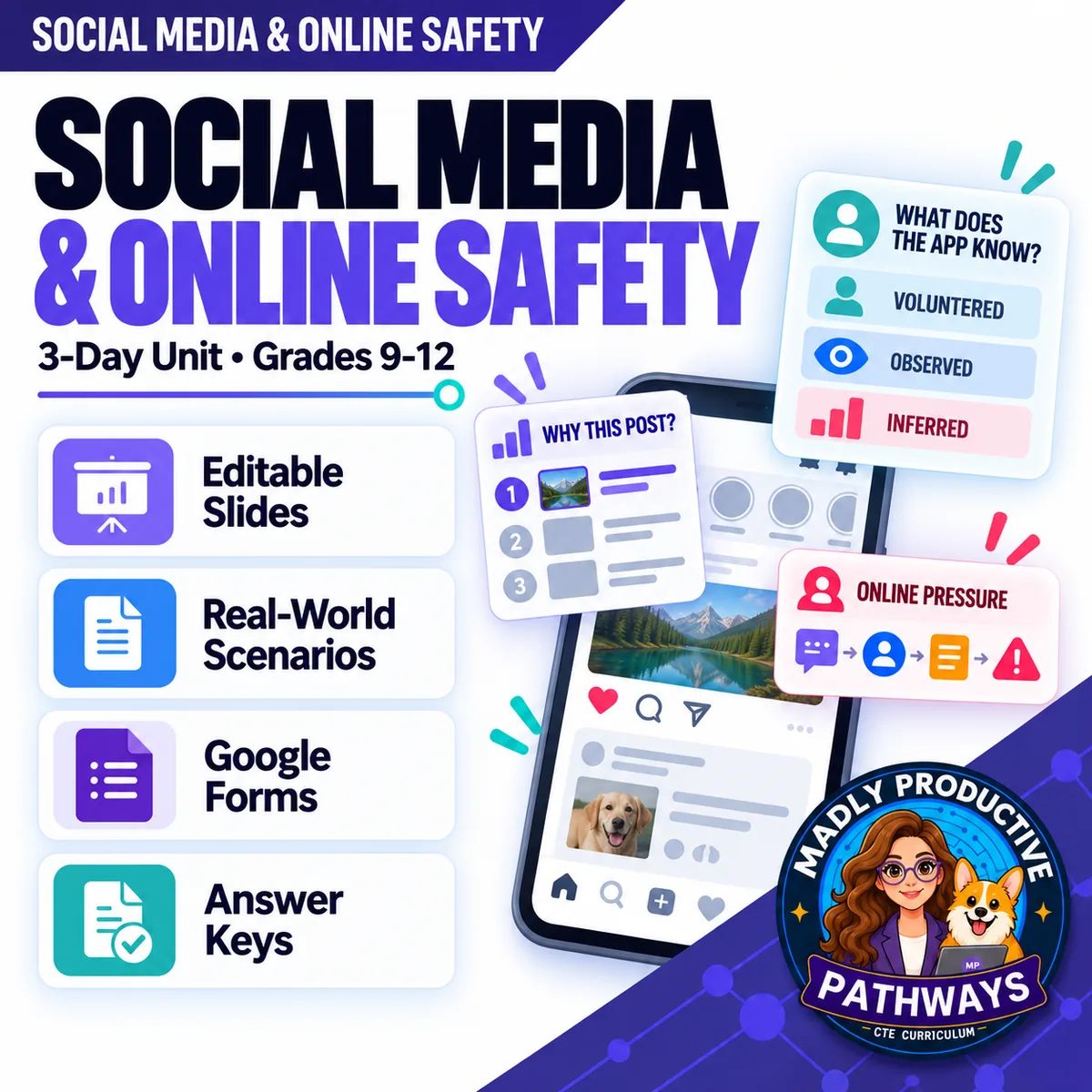
Social Media & Online Safety
 Digital Citizenship Grades 9–12 3-day unit 33 deliverables
 Your students scroll every day, but few can say why one post reached them or what the app kept while they read it. Three complete days on how a ranked feed works, what a free app knows about the people using it, and how online pressure starts. Written for a general-education class and ready to print.
● Instant download · Lifetime access · Editable & print-ready
 Editable formatsPowerPoint, Word, PDF & Google
 Every page keyedNothing says “answers will vary”
 Self-grading formsThe quiz and all 3 exit tickets
 No background neededPrint it and teach it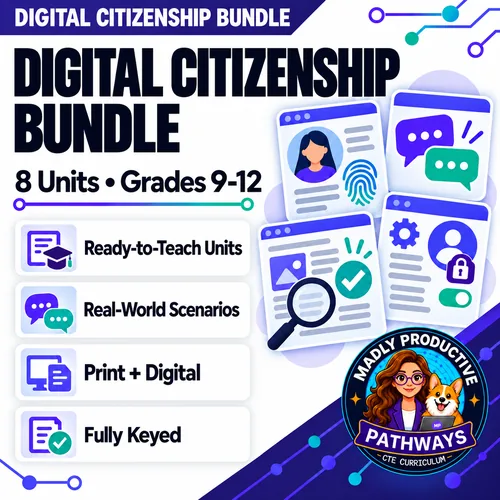
What does this unit cover?
Three questions a student can actually answer by the end. Day 1 replaces the algorithm with something concrete: a ranked feed gives every post a score made of predictions about the viewer, and those predictions come from three places — what you did, what the app guesses about you, and what similar users did. The score never checks whether a post is true.
Day 2 does the same for data. An app gets it three ways — volunteered, observed, inferred — and the part you typed is the smallest of the three. Students also learn that inferred data can be wrong and still get used, which is the point of the day's scenario.
Day 3 is the safety day, and it teaches a pattern rather than a scare story. Online pressure runs in four moves — attention, away from everyone, a small ask, the threat — and any one of them can be innocent. The order is the warning. The practical point is that staying in the group chat is the easiest place to stop, and saying no there costs a student nothing. Everything follows the same open-and-teach folders as the rest of the line: 00 Start Here / 01 Present / 02 Student Handouts / 03 Scenarios / 04 Activities / 05 Assessment / 06 Answer Keys.
Halden Creek — Which Title Worked?
Trail volunteers post the same video twice with two different titles. Title A was opened 4,180 times, but viewers typically left after 7 seconds and 3 in 100 reached the end. Title B was opened 1,320 times, held viewers 3 minutes 40 seconds, and 41 in 100 finished. A volunteer concludes Title A is the better video. Students find the clickbait using a number, say which title people watch longer, and explain why more opens doesn't mean a better video — it is the same video both times.
Everything that's included
 00 Start Here: Teacher
- READ FIRST teacher guide: what to print, in what order
- Teacher guide and pacing: measured minute-by-minute timings for each day
- Skills Map and state standards, each code checked against its official wording, plus a ready-to-paste prompt for your own state
 01 Present: Whole class
- One editable PowerPoint deck per day (36 slides, three decks of 12), with speaker notes on every slide
- Three printable bell ringers, one warm-up per day
 02 Student Handouts
- Guided notes for all three days, in editable Word and print PDF
- Vocabulary glossary: all 30 terms, ten a day, defined
 03 Scenarios
- Halden Creek — Which Title Worked? — two pages, keyed
- Kestrel Lane Bikes — What Does Each Ad Need to Know? — two pages, keyed
- Willow Bend — What Should Luke Do Now? — two pages, keyed
 04 Activities
- Which Group Put It on Top? — Day 1: six posts from one feed, 6 points
- Where Did That Come From? — Day 2: six facts in an app profile, sorted volunteered, observed or inferred, 6 points
- Which Move Is It? — Day 3: six messages across five weeks, and two of them are ordinary, 7 points
- Two pages each. Everything prints on the sheet students write on — nothing to cut out or laminate
 05 Assessment
- Three exit tickets, one per day, 5 points each
- Unit quiz: 26 points, 18 multiple choice and 4 written, across five pages, about 25 minutes
Digital: self-grading Google Forms™
- Four ready-to-assign forms — the unit quiz and all three exit tickets — with 24 auto-graded items
- Multiple choice grades itself on submit, with feedback on every wrong answer; written responses land in your response sheet
06 Answer Keys
- Six key PDFs: every activity, scenario, exit ticket and the quiz
- Every written prompt keyed with what to look for, a model response, what else to accept and what to reject — and every activity item carries a sample answer and a rule for the point
See the actual pages
Page one of four real files out of the download, exactly as they print.
One editable deck per day
Twelve slides a day, low text, with the icons and layouts built as real shapes rather than flat images. Recolor them to match your room, or delete any of them.
- ✓ 36 slides across the three days
- ✓ Speaker notes on every slide
- ✓ The guided notes follow the slides in order
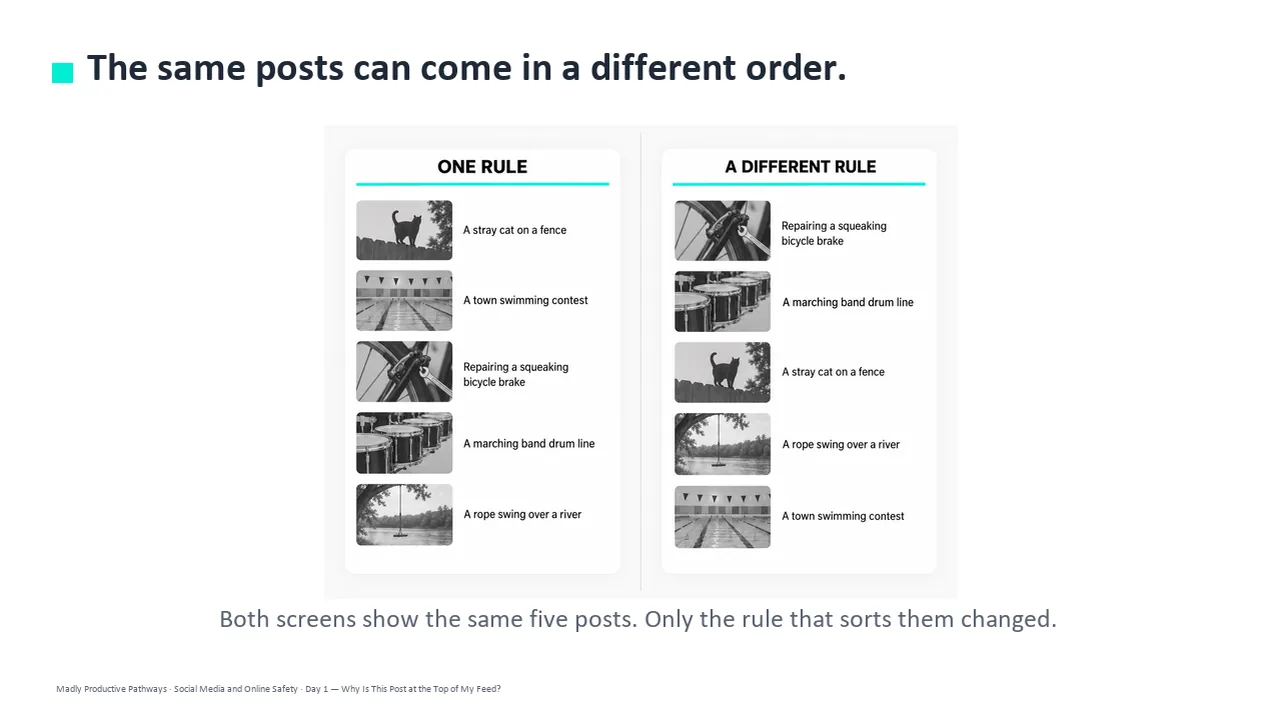
Notes students fill in as you teach
One page per day with a word bank of that day's ten terms and real room to write. Editable Word and print-ready PDF, and every one has a complete key.
- ✓ Three days, Word and PDF
- ✓ Short, complete sentences on every student page
- ✓ Full answer key for every page
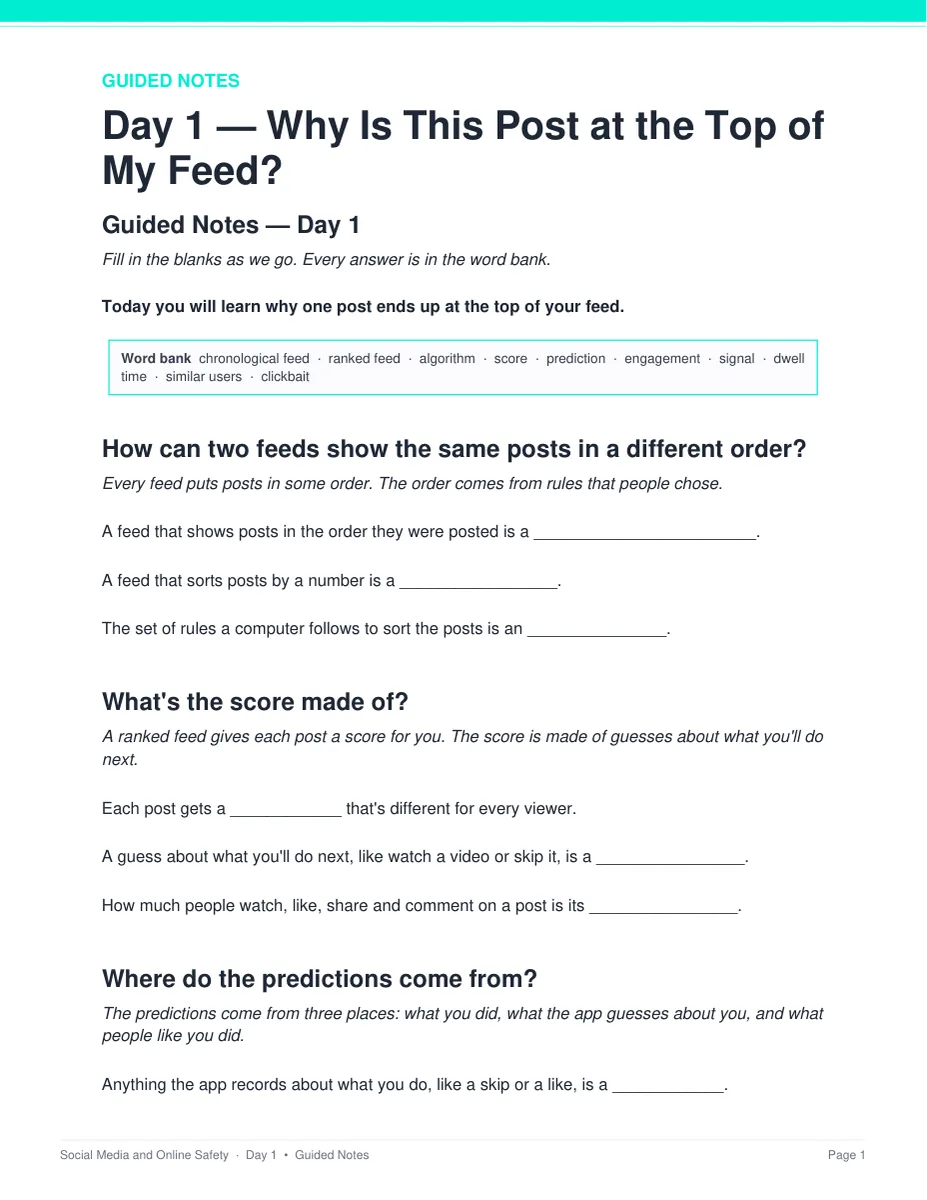
The same video, posted twice
Three long-form cases, two pages each, worth 3 points, with a hint under question 1. Every person, account and message in them is invented, and no real app or company is named.
- ✓ Halden Creek, Kestrel Lane Bikes and Willow Bend
- ✓ Students diagnose first, then explain
- ✓ Teacher key with sample answers
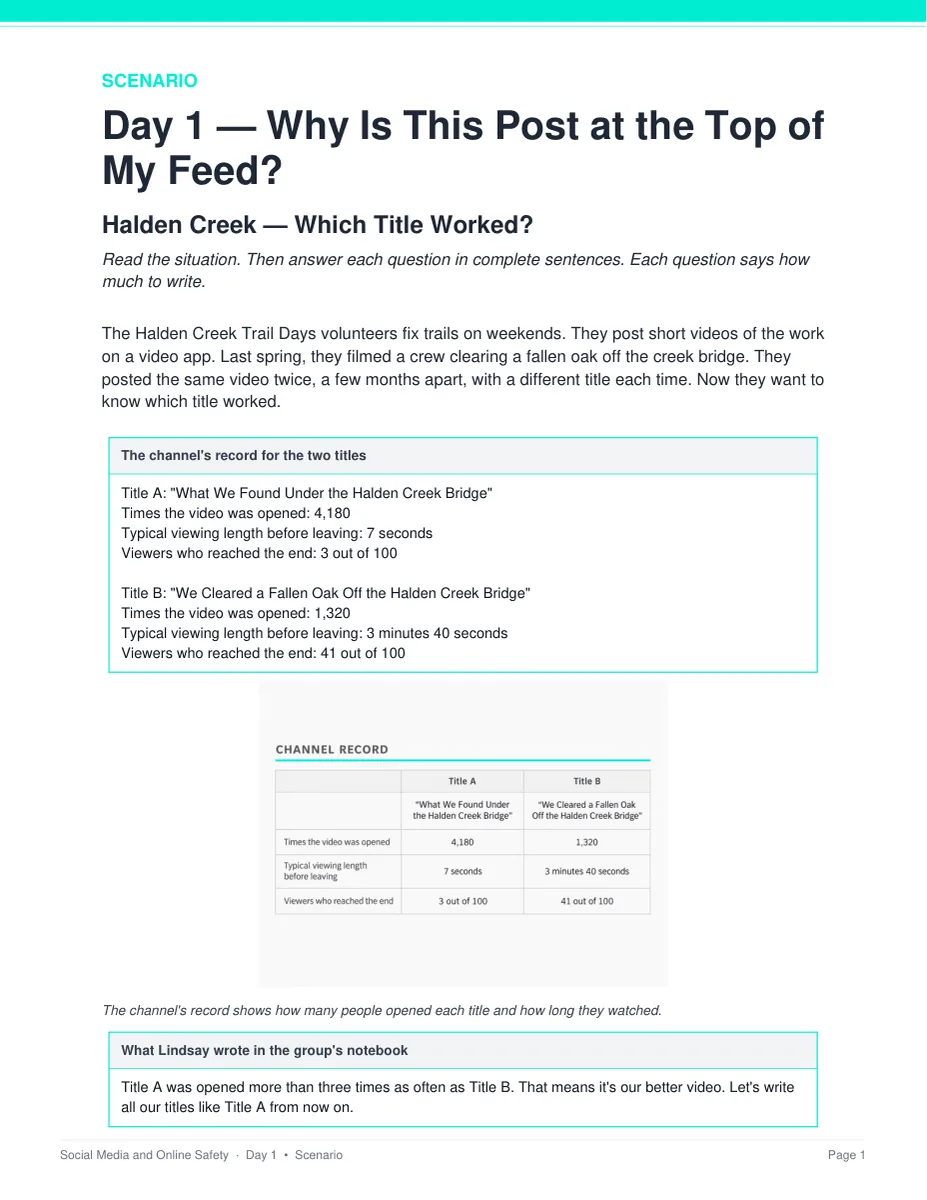
Six messages, five weeks, four moves
Students name the move behind each message — attention, away from everyone, a small ask, the threat — and two of the six are ordinary, which is exactly the point. Any one move can be innocent; the order is what gives it away.
- ✓ Two pages, 7 points, Day 3
- ✓ Nothing to cut out or laminate
- ✓ Debrief script in the teacher key
Why teachers pick this unit
 It explains the machinery
The score, the profile and the pattern, instead of telling students to be careful online. The app puts a post on top because it thinks you'll watch it, not because it's true.
A pattern, not a scare storyOnline pressure comes in four moves, and the order gives it away. Staying in the group is the easiest place to stop, and it costs a student nothing.
Nothing says “answers will vary”Every written question ships with what to look for, a model response, and what else to accept or reject.
 No background needed
You don't need to know how a feed works. Each day has a plan and the speaker notes tell you what to say — one bell ringer, one deck, one activity, one exit ticket.
 No page blames a student
Day 3's examples stay mild, and it says plainly that the person making a threat is the one doing wrong, that giving in never makes pressure stop, and to tell a trusted adult even if you already said yes.
Print and digitalPrint-ready PDFs plus four self-grading Google Forms™ for the quiz and all three exit tickets.
What Teachers Say
Be the first to review this
Reviews help me a lot, and they help other teachers pick the right resources for their classes. It takes about a minute.
Leave a reviewQuestions teachers ask
How do I get the files after I buy?
Instant download right after checkout. You get editable PowerPoint and Word, print-ready PDF of everything, and the links for the self-grading Google Forms™.
I don't know how feeds work myself.
You don't need to. Each day has a plan and the speaker notes tell you what to say. The READ FIRST guide says exactly what to print and when, and every page has a key.
Is Day 3 safe to teach?
Yes. Day 3 uses mild, made-up examples — a secret, a funny video — and the unit never describes what a threat demands. The scenario and the slides both tell students to tell a trusted adult right away, and that it isn't their fault.
Will my students actually do something?
Yes. Every day has an activity, and students vote and talk with a partner during the slides. Each activity prints on the sheet students write on, so there is nothing to cut out or laminate first.
When does the unit quiz happen?
It sits after the three lessons, not inside them. The quiz is about 25 minutes and all three periods are full lessons. Run it as a Day 4 in class or set it as a take-home with the Google Form. Either way you already have a grade for every student from the three exit tickets.
What standards does it map to?
It is a general-education digital-literacy unit, so it maps onto reading standards alongside health and ISTE codes rather than a computer science framework: RI.9-10.1 with the 11-12 equivalent, Health 5.12.4 in the 2024 wording with the 2007 equivalent, and ISTE 1.1.d. The Skills Map lists what students learn each day, with every code checked against its official wording, plus a ready-to-paste prompt for your own state.
Can I buy this with the other Digital Citizenship units?
Yes. The Digital Citizenship Unit Bundle holds this unit and seven more — 27 teaching days and 279 files in one download, for less than buying them one at a time.