
Artificial Intelligence & Chatbots
 Digital Citizenship Grades 9–12 4-day unit 39 deliverables
 Your students are already using chatbots. Four complete days on what a chatbot actually produces and why it can be wrong and sure at the same time, then which step of an assignment is theirs, what goes in before they type it, and which questions belong with a person. Written for a general-education class and ready to print.
● Instant download · Lifetime access · Editable & print-ready
 Editable formatsPowerPoint, Word, PDF & Google
 Every page keyedNothing says “answers will vary”
 Self-grading formsThe quiz and all 4 exit tickets
 No background neededPrint it and teach it
What does this unit cover?
Four days on using a chatbot well. Day 1 is the one that changes the room: a chatbot writes an answer from patterns instead of looking one up, so right and wrong come out equally smooth and how sure it sounds cannot tell you whether it is right. Students meet fluent, then check and source, then the two habits worth knowing — it folds when you push back, and it reaches for the stereotype.
Days 2 to 4 are the three decisions that follow. Which step of an assignment is yours to do, and what one sentence of disclosure looks like. What a stored conversation is, and how to take out everything the answer does not need before you type it. And which questions belong with a person rather than a tool — a chatbot reads your words, a person reads you.
The unit never tells a student to stop using a chatbot, because refusing everything is the failure mode teachers actually see: on every one of the four activities, rejecting a legitimate use costs points. Everything follows the same open-and-teach folders as the rest of the line — 00 Start Here / 01 Present / 02 Student Handouts / 03 Scenarios / 04 Activities / 05 Assessment / 06 Answer Keys — and every student page uses short, complete sentences.
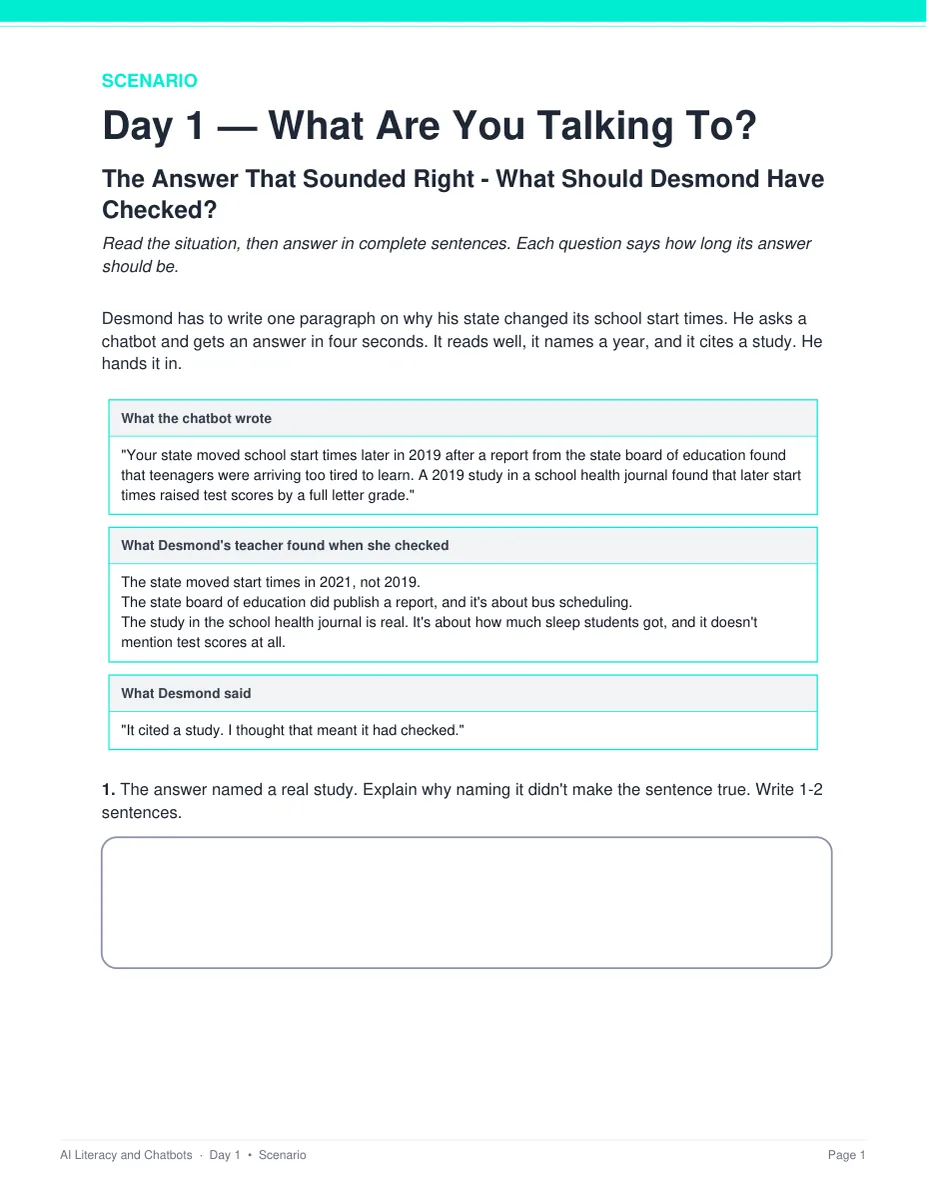
The Answer That Sounded Right — What Should Desmond Have Checked?
Desmond writes one paragraph on why his state changed its school start times, built on a chatbot answer that named a year and cited a real-sounding study. His teacher checks it: the year is wrong, the state report was about bus scheduling, and the study is about sleep and never mentions test scores. Two pages, scored out of 6, keyed with what to look for, a model response and what else to accept.
Everything that's included
 00 Start Here: Teacher
- READ FIRST teacher guide: what to print, in what order
- Teacher guide and pacing: each day's four slots, measured minute by minute
- Skills Map and state standards: 15 codes, each checked against its official wording, plus a ready-to-paste prompt for your own state
 01 Present: Whole class
- One editable PowerPoint deck per day (51 slides: 13, 13, 13 and 12)
- Four printable bell ringers, one warm-up per day
 02 Student Handouts
- Guided notes for all four days, in editable Word and print PDF
- Vocabulary glossary: all 40 terms, ten a day, defined
 03 Scenarios
- The Answer That Sounded Right — What Should Desmond Have Checked? — two pages, keyed
- Four Weeks of Talking to It — What Should Rowan Do? — two pages, keyed
 04 Activities
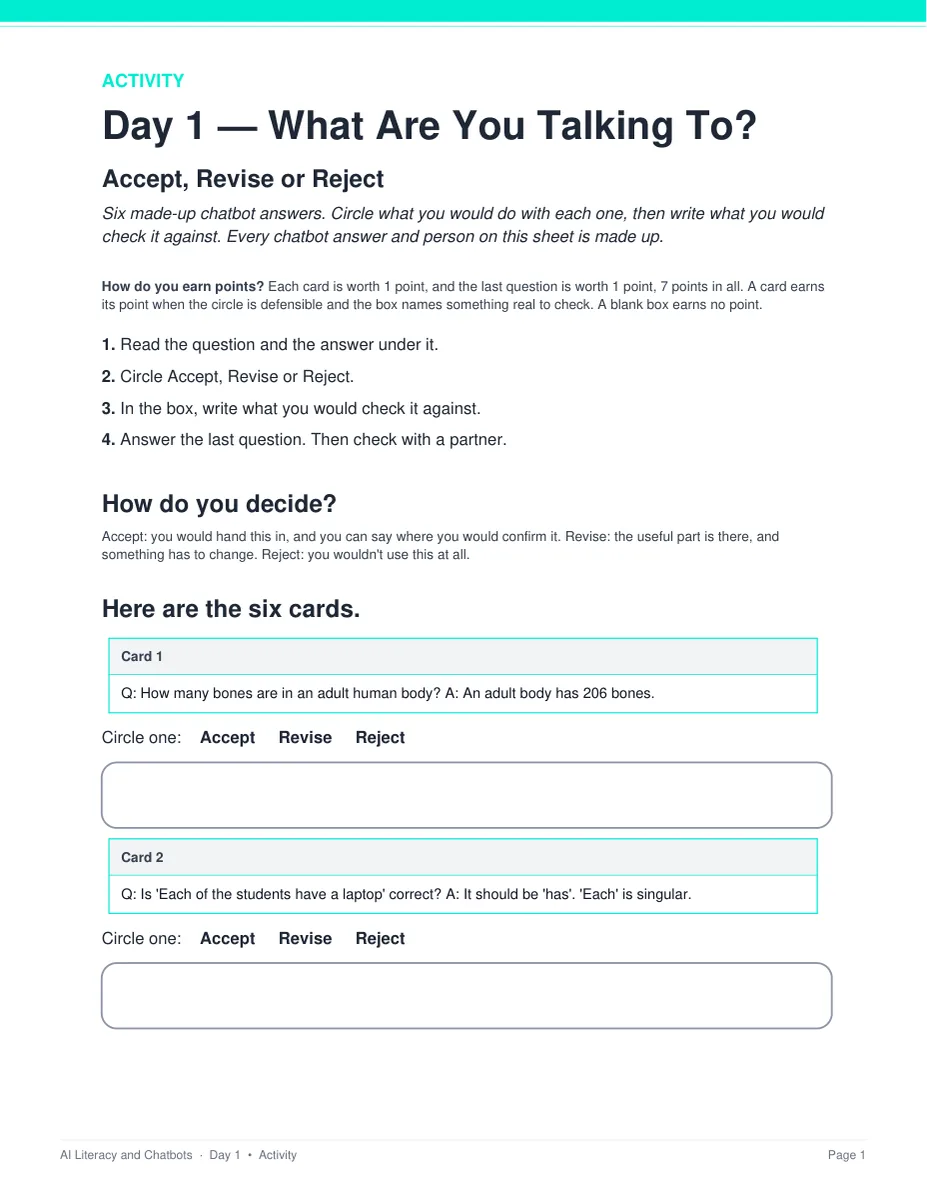
- Accept, Revise or Reject — Day 1: six chatbot answers, two of them right as written
- Whose Step Is It? — Day 2: one assignment in six steps, with the class rule printed at the top of the sheet
- Before You Type It — Day 3: six questions somebody is about to type
- Person Problem or Not? — Day 4: six situations, routed to a chatbot, a person, or both
- Two pages and 7 points each. Everything prints on the sheet students write on — nothing to cut out or laminate
 05 Assessment
- Four exit tickets, one per day: 2 multiple choice and 1 written, 4 points each
- Unit quiz: 28 points, 20 multiple choice and 4 written, about 25 minutes
Digital: self-grading Google Forms™
- Five ready-to-assign forms — the unit quiz and all four exit tickets — with 28 auto-graded items
- Multiple choice grades itself on submit, with feedback on every wrong answer; the 8 written items land in your response sheet for you to mark
06 Answer Keys
- Seven key PDFs, 19 pages: every activity, scenario, exit ticket and the quiz
- Every written prompt keyed with what to look for, a model response, what else to accept and what to reject — and every activity item carries a sample answer and a rule for the point
See the actual pages
Page one of four real files out of the download, exactly as they print.
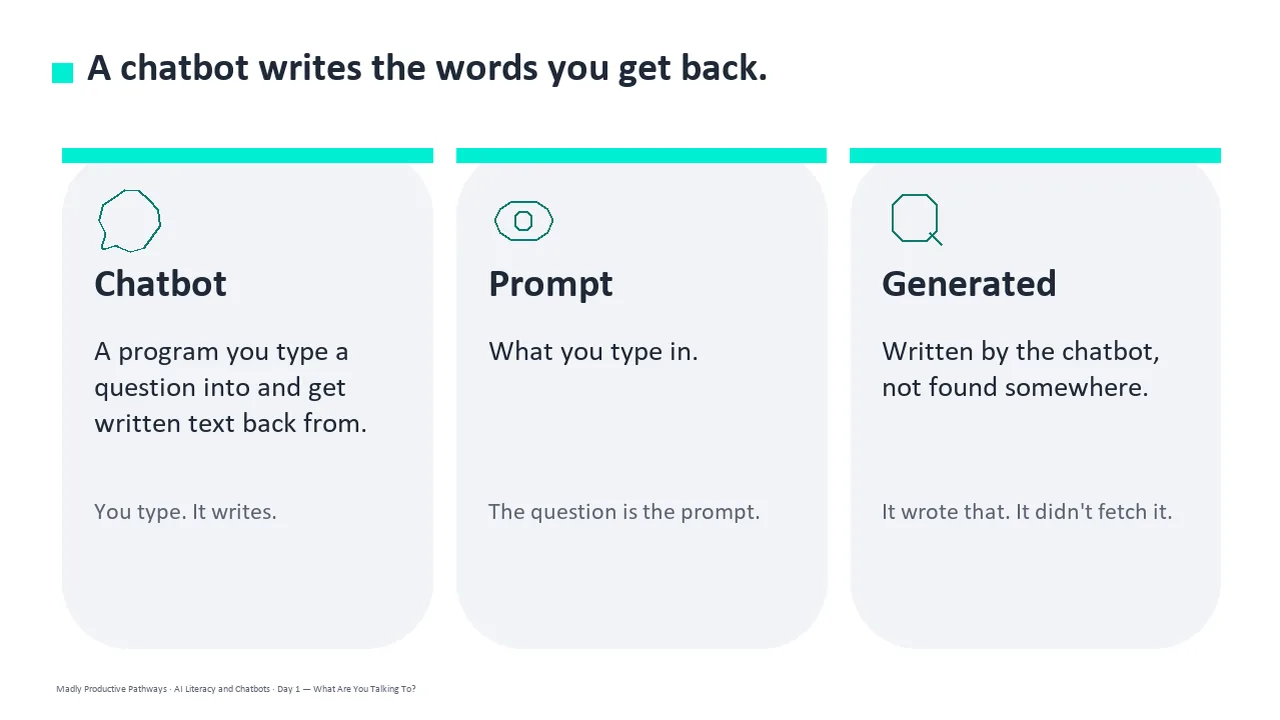
One editable deck per day
Thirteen slides a day, low text, with the icons and layouts built as real shapes rather than flat images. Recolor them to match your room, or delete any of them.
- ✓ 51 slides across the four days
- ✓ Native PowerPoint, opens in Google Slides
- ✓ Speaker notes tell you what to say
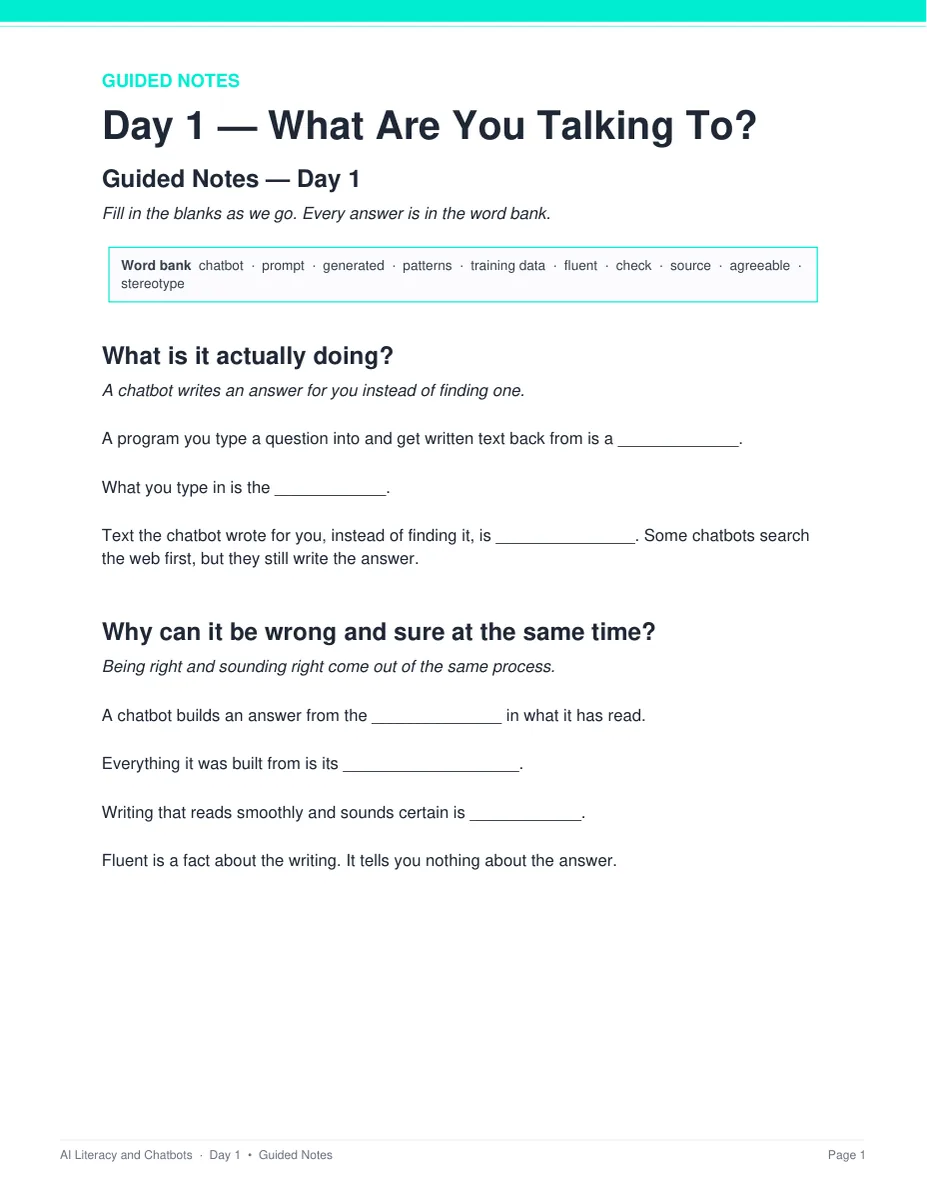
Notes students fill in as you teach
One page per day with a word bank of that day's ten terms and real room to write. Editable Word and print-ready PDF, and every one has a complete key.
- ✓ Four days, Word and PDF
- ✓ Short, complete sentences on every student page
- ✓ Full answer key for every page
The paragraph that did not hold up
Two long-form cases, two pages each. Every chatbot answer, person and study in them is invented, so there is nothing live on the page and no real product is named.
- ✓ Desmond's paragraph, and Rowan's four weeks
- ✓ Students diagnose first, then explain
- ✓ Scored out of 6, with a full key
Six answers: accept, revise or reject
Students circle Accept, Revise or Reject for each answer and write what they would check it against. Cards 1 and 2 are right as written, so a pair that rejects everything loses two points — that trap is the argument of the whole unit.
- ✓ Two pages, 7 points, Day 1
- ✓ Nothing to cut out or laminate
- ✓ Debrief script in the teacher key
Why teachers pick this unit
 It never says don't use it
Refusing everything is the failure mode teachers actually see. On all four activities, rejecting a legitimate use costs points.
Use, not mechanismNothing here is a lecture on how a model is built. It teaches the four decisions a student actually makes, written for grades 9-12 rather than middle school.
Nothing says “answers will vary”Every written question ships with what to look for, a model answer, and what else to accept or reject. Every activity item has a rule for the point.
 No background needed
Nothing in it is technical, and the speaker notes tell you what to say. Each day is one bell ringer, one deck, one activity and one exit ticket.
 Safe to hand out as it is
Every chatbot answer, person and question is invented. No real chatbot or company is named on a student page, and no activity asks a student to type anything about themselves.
Print and digitalPrint-ready PDFs plus five self-grading Google Forms™ for the quiz and all four exit tickets.
What Teachers Say
Be the first to review this
Reviews help me a lot, and they help other teachers pick the right resources for their classes. It takes about a minute.
Leave a reviewQuestions teachers ask
How do I get the files after I buy?
Instant download right after checkout. You get editable PowerPoint and Word, print-ready PDF of everything, and the links for the self-grading Google Forms™.
Do I need to know much about this to teach it?
No. Nothing in the unit is technical, and the speaker notes tell you what to say. The READ FIRST guide says exactly what to print and when, and every page has a key.
My students have already sat through a don't-use-it talk. Is this another one?
No, and that is enforced rather than promised. On every activity in the unit, refusing a legitimate use costs points. Day 2 opens by telling the class this is not that lecture.
Our school's policy is still being written. Can I still teach it?
Yes. The Day 2 activity prints its own class rule at the top of the sheet, and the unit teaches students to read whatever rule they are given rather than assume one.
When does the unit quiz happen?
It sits after the four lessons, not inside them. The quiz is about 25 minutes and all four periods are full lessons — the pacing check measures 41, 41, 41 and 40 minutes of work in a 45-minute period. Run it as a Day 5 in class or set it as a take-home with the Google Form. Either way you already have a grade for every student from the four exit tickets.
Is it safe to hand out as-is?
Yes. Every chatbot answer, person and question in the unit is invented, and no real chatbot, company or study is named anywhere a student can see. No activity asks a student to type anything about themselves. Day 4 ends every route with a person — a trusted adult, a counselor, or the crisis line, which is printed on the Day 4 notes page, the last slide, the glossary and the quiz.
What standards does it map to?
It is a general-education digital-literacy unit, so it maps onto reading, writing and speaking standards alongside ISTE and health codes rather than a computer science framework: RI.9-10.1 and RI.9-10.8, W.9-10.4 and W.9-10.8, SL.9-10.1 with the 11-12 equivalents, ISTE 1.1.c, 1.2.c, 1.2.d and 1.3.b, and Health 3.12.1 and 7.12.1. The Skills Map gives one row per day and 15 codes, each checked against its official wording, plus a ready-to-paste prompt for your own state.
Can I buy this with the other Digital Citizenship units?
Yes. The Digital Citizenship Unit Bundle holds this unit and seven more — 27 teaching days and 279 files in one download, for less than buying them one at a time.