Artificial Intelligence in the Classroom
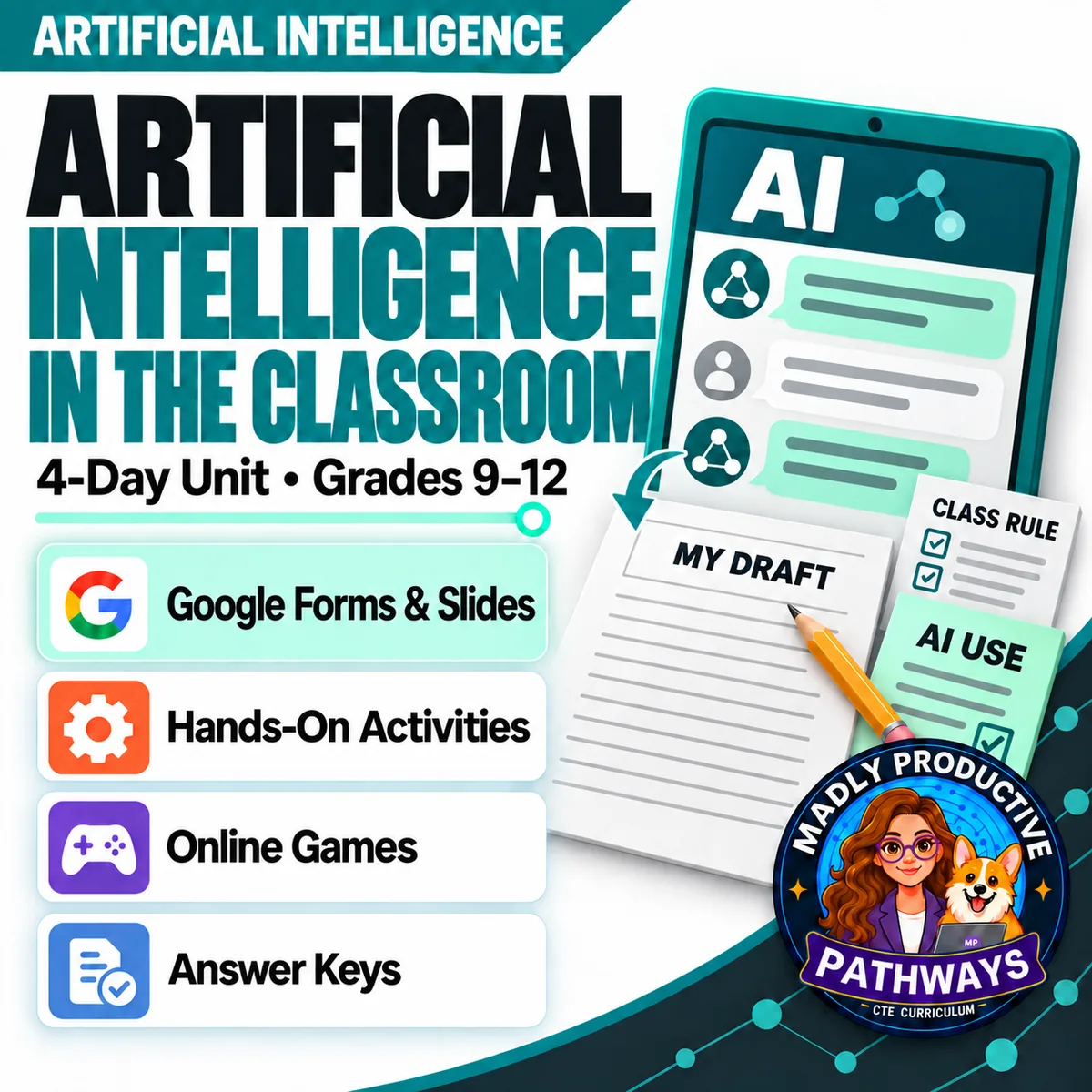
 Artificial Intelligence Grades 9–12 4-day unit 41 deliverables
Most lessons about AI and schoolwork are a warning. Four complete days on what a student actually needs the day a teacher's rule mentions AI: read the rule for this class, cite what a chatbot gave them in current MLA format, write a disclosure statement that names the tool, its purpose and their own part, and show their work is theirs when a detector flags it. The lessons run on paper, and the online games are optional.
● Instant download · Lifetime access · Editable & print-ready
 Print + digitalPDF, PowerPoint, Word & Google
 Self-grading Google FormsThe quiz and all 4 exit tickets
 3 online gamesComputer or tablet, no account
 Every page keyedNothing says “answers will vary”
Short browser games that practice each day's lesson with new examples. Students play on a computer or tablet, with no account and nothing to install. Use one with the lesson or instead of the paper activity.
See the gamesWhat does this unit cover?
Most lessons about AI and schoolwork are a warning. This one teaches four skills a student actually needs the day a teacher's rule mentions AI. Day 1 reads the rule. A policy holds a course's rules, a guideline holds one assignment's, and most rules sort uses into permitted, prohibited and a gray area, so the same use can land differently in two classes. In a gray area, students name the exact use and the assignment, and ask in writing.
Day 2 gives credit. A chatbot's exact words and its ideas put in a student's own words both get cited, practiced in the MLA pattern from the August 2025 update, and a citation gives credit without checking any facts. Day 3 turns a record of the work into a disclosure statement with three parts: the tool, its purpose and the student's own contribution. Day 4 is the day someone asks. A detector score is a guess, not proof, and notes, an outline, drafts and version history together make the case.
No real chatbot, company or detector is named on a student page. The citation practice uses an invented chatbot, StudyBot, from an invented maker, Brightline Labs. In every practice case the teacher allows the AI use described, so citing and disclosing are never mistaken for permission. Everything follows the same open-and-teach folders as the rest of the line: 00 Start Here / 01 Present / 02 Student Handouts / 03 Scenarios / 04 Activities / 05 Assessment / 06 Answer Keys.
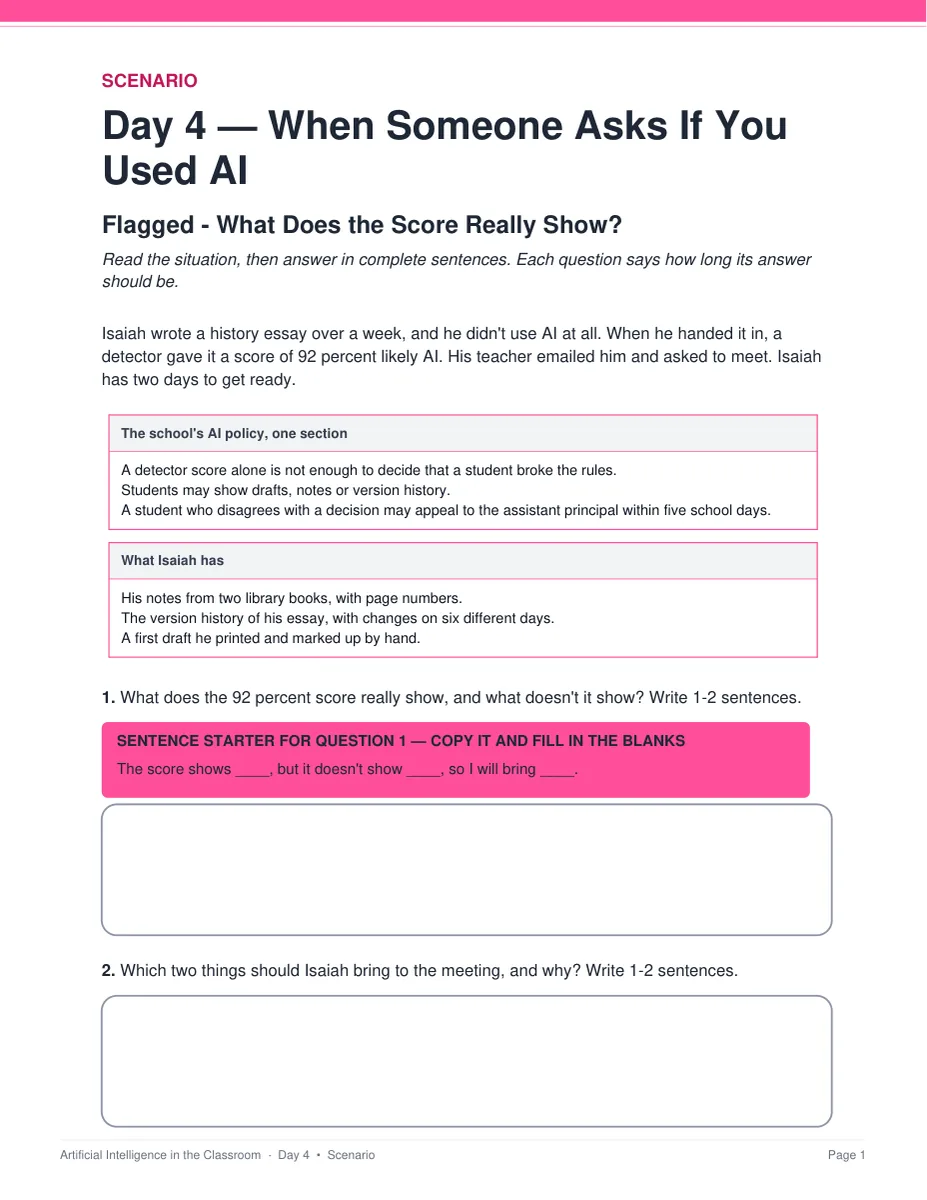
Flagged — What Does the Score Really Show?
Isaiah wrote his history essay over a week without using AI, and a detector scored it 92 percent likely AI. His teacher wants to meet, and he has two days to get ready. The page prints one section of the school's AI policy, which says a detector score alone is not enough to decide, and what Isaiah has: library notes with page numbers, a version history with changes on six different days, and a first draft he marked up by hand. Students say what the score shows and doesn't show, which two things he should bring, and what he can do next under the policy. Two pages, three questions and 6 points, with a key that gives what to look for, a model response and what to accept or reject.
Everything that's included
 00 Start Here: Teacher
- READ FIRST teacher guide: what to print, in what order, and how to use the online games
- Teacher guide and pacing: each day's four time slots, minute by minute, where to pause the deck for the activity, and each online game's link, play time and a question to ask afterward
- Skills Map and state standards, each code checked against its official wording, plus a ready-to-paste prompt for your own state

 01 Present: Whole class
- One editable PowerPoint deck per day (51 slides: 13, 13, 12 and 13), with speaker notes
- The slide script: every speaker note, printed in order
- Four printable bell ringers, one warm-up per day
 02 Student Handouts
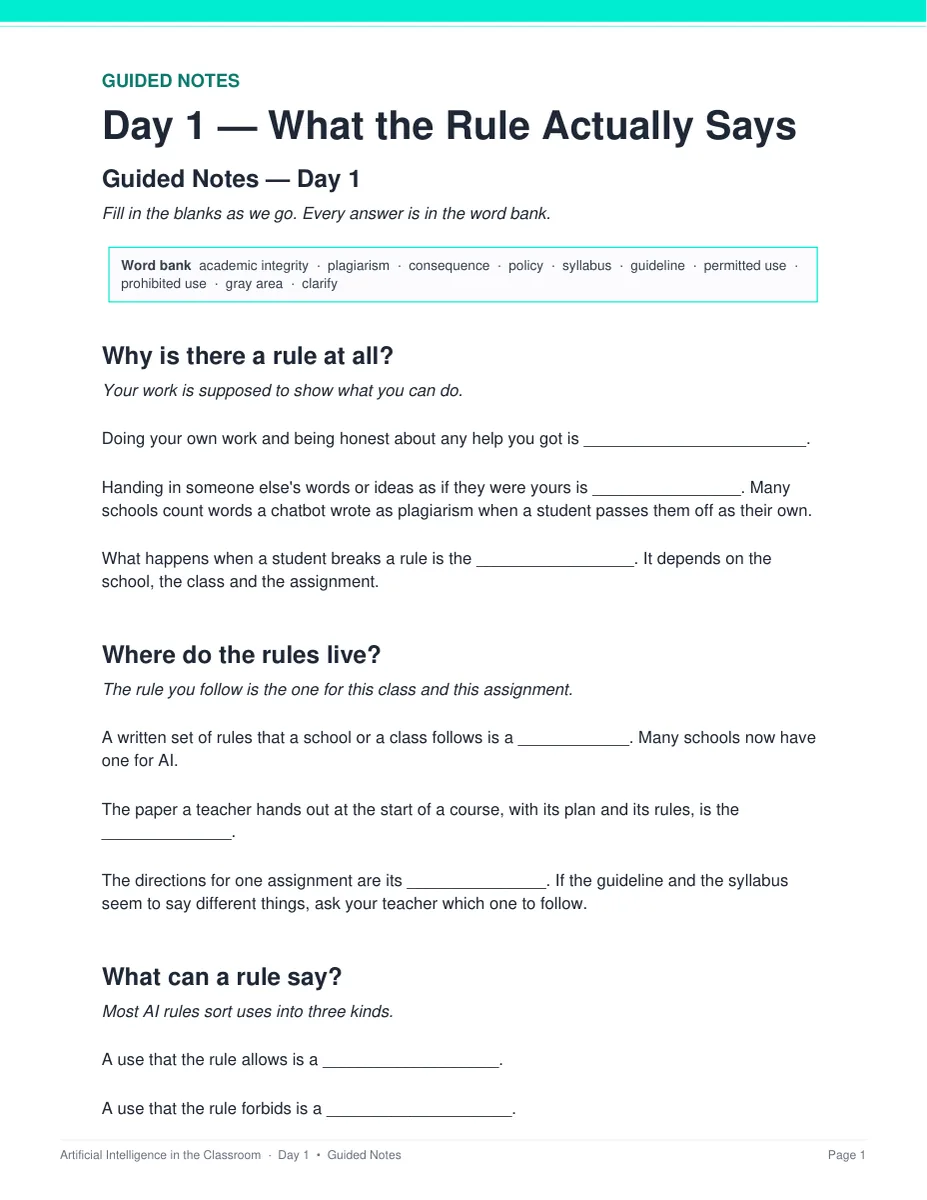
- Guided notes for all four days, in editable Word and print PDF, with 10 blanks and the word bank on the page
- Vocabulary glossary: all 40 terms, ten a day, defined
 03 Scenarios
- The Group Project Rule — Whose Rule Counts? — Day 1, two pages, 6 points, keyed
- Flagged — What Does the Score Really Show? — Day 4, two pages, 6 points, keyed
 04 Activities
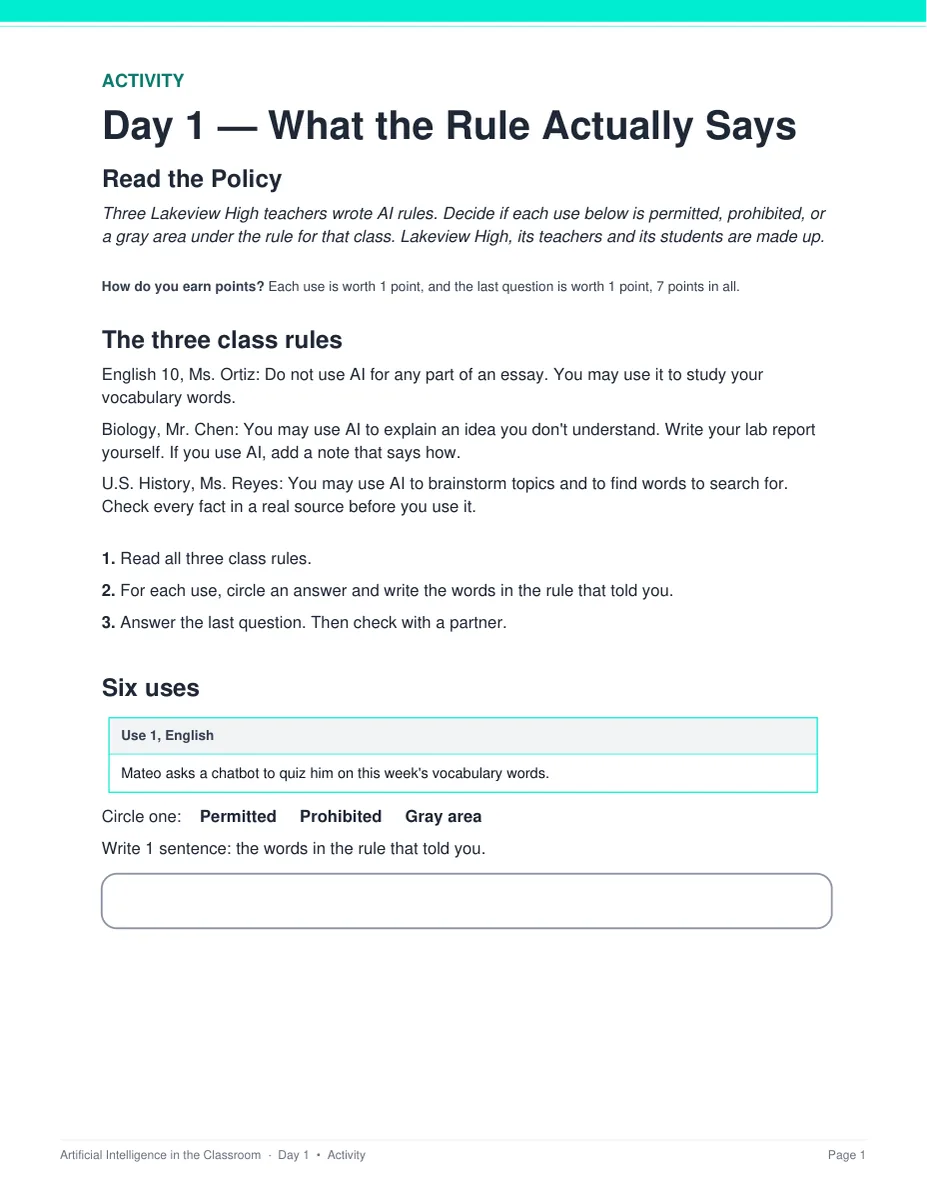
- Read the Policy — Day 1: three class rules and six uses, each one permitted, prohibited or a gray area
- Build the Citation — Day 2: three students' chats, with the citation parts printed out of order
- Write the Note — Day 3: three record cards to turn into disclosure statements
- Build Your Case — Day 4: match a teacher's four questions to Daniel's five items, then write the first two calm sentences he could say
- 7 points each, and each one is a different shape. Everything prints on the sheet students write on — nothing to cut out or laminate
 05 Assessment
- Four exit tickets, one per day: 2 multiple choice and 1 written, 4 points each
- Unit quiz: 28 points, 20 multiple choice and 4 written, about 25 minutes
Digital: Google Forms™ and Google Slides™
- Five ready-to-assign Google Forms — the unit quiz and all four exit tickets — with 28 auto-graded items
- Multiple choice grades itself on submit, with feedback on every wrong answer; the written answers land in your response sheet for you to mark
- Four Google Slides decks, one per day, with the same slides as the PowerPoint files
- Every link makes a copy in your own Drive
Online games
- The AI Help Desk — Day 1, about 6 to 9 minutes: read each assignment's rule and stamp a request permitted, prohibited or ask first
- Chat History Hunt — Day 2, about 7 to 9 minutes: find the chat a sentence came from and fix a missing or wrong citation detail
- Rewind — Day 4, about 6 to 9 minutes: find evidence in a proposal's version history and answer a teacher's questions with it
- Day 3 has no game on purpose: writing the note from a record, on paper, is the practice
- They play in the browser on a computer or tablet, with no account. Use one in addition to the lesson or instead of that day's paper activity. Each game's short link prints on its day's activity sheet and answer key, and the teacher guide lists all three
06 Answer Keys
- Seven key PDFs, 23 pages: every day's bell ringer, guided notes and exit ticket, every activity, both scenarios and the quiz
- Every written prompt keyed with what to look for, a model response and what to accept or reject — and every activity item carries a sample answer and a rule for the point
See the actual pages
One slide or page from four real files in the download, exactly as they appear.
One editable deck per day
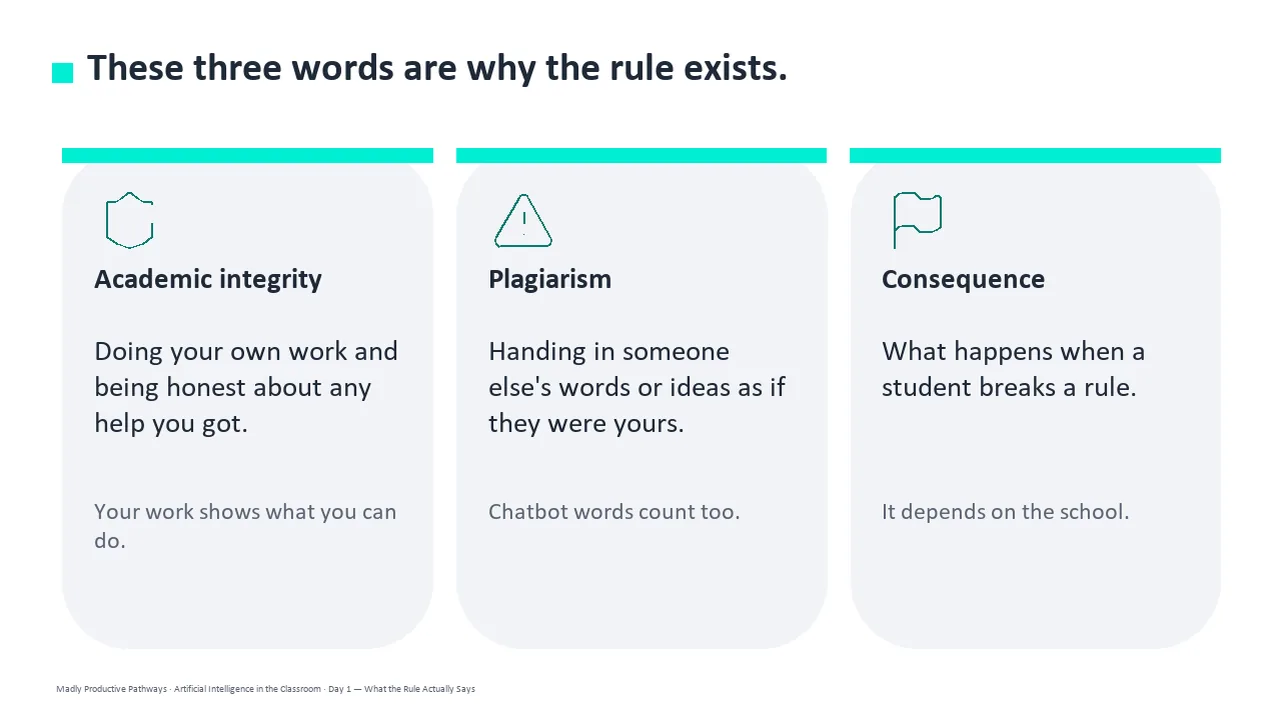
Twelve or thirteen slides a day, low text, with the icons and layouts built as real shapes rather than flat images. The speaker notes say what to point to and what to say, and every deck also comes as Google Slides.
- ✓ 51 slides across the four days
- ✓ PowerPoint, plus a Google Slides copy of every deck
- ✓ 21 pictures, all on the slides
Notes students fill in as you teach
Two pages per day, following the slides in order, with that day's ten terms in a word bank on the page. Editable Word and print-ready PDF, and every one has a complete key.
- ✓ Four days, Word and PDF
- ✓ 40 terms, every one also in the glossary
- ✓ Full answer key for every page
A detector score, and what it can't prove
Two long-form cases, two pages each. Every person, school and policy in them is invented. Students read the policy and the evidence printed on the page, then answer three questions in one or two sentences each.
- ✓ The Group Project Rule and Flagged
- ✓ A sentence starter under the first question
- ✓ Scored out of 6, with a full key
Three class rules, six uses
Three made-up teachers' AI rules print at the top of the sheet. For each use, students circle permitted, prohibited or gray area and write the words in the rule that decided it. The last question asks for the exact question to send the teacher about the gray area.
- ✓ Day 1, 7 points
- ✓ Nothing to cut out or laminate
- ✓ A sample answer and a rule for every point
Why teachers pick this unit
 Skills, not a warning
It teaches what a student actually does the day a rule mentions AI: read the rule, cite what a chatbot gave them, say what the tool did, and show their own process.
A score is a guess, not proofDay 4 teaches why a detector score can't settle who wrote something, and how notes, an outline, drafts and version history make the case together. It never teaches students to beat a detector.
Nothing says “answers will vary”Every written question ships with what to look for, a model response, and what to accept or reject. Every activity item has a sample answer and a rule for the point.
 Safe to hand out as it is
No student opens a chatbot or makes an account. Every person, school, class rule and chatbot is invented, and the only real things a student page names are the citation style guides.
Three online gamesThe AI Help Desk, Chat History Hunt and Rewind practice Days 1, 2 and 4 with new cases, in the browser on a computer or tablet, with no account.
 Print and digital
Print-ready PDFs, every deck in PowerPoint and Google Slides™, and five self-grading Google Forms™ for the quiz and all four exit tickets.
What Teachers Say
Be the first to review this
Reviews help me a lot, and they help other teachers pick the right resources for their classes. It takes about a minute.
Leave a reviewQuestions teachers ask
How do I get the files after I buy?
Instant download right after checkout. You get editable PowerPoint and Word, print-ready PDF of everything, and the copy links for the five self-grading Google Forms™ and the four Google Slides™ decks.
Is this a lesson about catching cheaters?
No. The READ FIRST guide says so plainly: it teaches students how to use a tool honestly and how to show that they did. It never teaches students to beat a detector. Day 4 is about evidence of process, and the two research findings behind it print in the teacher guide with their sources and limits.
Our school's AI policy is different. Can I still teach it?
Yes. Your school's own AI policy wins over anything in the unit, and the READ FIRST guide says to read it before you teach Day 1. The unit teaches students to follow the rule for their class and their assignment, and to ask first in a gray area. In every practice case the teacher allows the AI use described, and the sheet says so.
Which citation format does it teach?
The MLA pattern from the August 2025 update: the prompt where the title goes, then the tool, version, company, date and link, with a short pointer in the sentence that leads to the Works Cited entry. The practice chatbot, StudyBot, and its maker, Brightline Labs, are invented, and the sheet says so.
Do my students use a real chatbot?
No. No activity asks a student to open a real chatbot, sign up for anything or type a prompt into a live product. Every chatbot answer and every rule in the unit was written for it, and no student page names a real company or product. The only web addresses printed are the Google Forms and Google Slides copy links and the online games' short links.
Where are the online games?
On this site, at /activities/ai/classroom. The unit has three: The AI Help Desk on Day 1 (about 6 to 9 minutes), Chat History Hunt on Day 2 (about 7 to 9 minutes) and Rewind on Day 4 (about 6 to 9 minutes). Day 3 has none on purpose, because writing the note on paper is the practice. Each game's short link prints on its day's activity sheet and at the top of its answer key, and the teacher guide lists all three. They play in the browser on a computer or tablet, with no account, and they aren't made for phones. Use a game in addition to the lesson or instead of that day's paper activity. If a game replaces the activity, grade that day by its exit ticket.
When does the unit quiz happen?
It sits after the four lessons, not inside them. The quiz is about 25 minutes and all four periods are full lessons — the pacing check measures 42, 38, 37 and 39 minutes of work in a 45-minute period. Run it as a Day 5 in class or set it as a take-home with the self-grading Google Form. Either way you already have a grade for every student from the four exit tickets.
What if I have fewer than four days?
Teach Days 1, 3 and 4. Day 2 adds formal citation, which matters most in classes that use MLA. If you skip it, use the exit tickets for Days 1, 3 and 4 as the check, or leave out quiz questions 6 to 10 and 22 and grade the quiz out of 21 instead of 28.
What standards does it map to?
Most of its codes are Common Core reading and writing standards: RI.9-10.1 on Day 1, W.9-10.8 on Day 2, W.9-10.4 and W.9-10.8 on Day 3, and W.9-10.1 on Day 4, each with its 11-12 equivalent. Day 4 also maps to two codes from the 2026 CSTA computer science standards, HS-ALG-PS-05 and S1-AIN-HR-09. Every code was checked against its official wording, and page 2 of the Skills Map has a ready-to-paste prompt for your own state's standards.
Can I buy this with the other Artificial Intelligence units?
Yes. The Artificial Intelligence Unit Bundle holds this unit and five more — 25 teaching days and 254 files in one download, for less than buying them one at a time.